

Tags: Logging, Students, Web
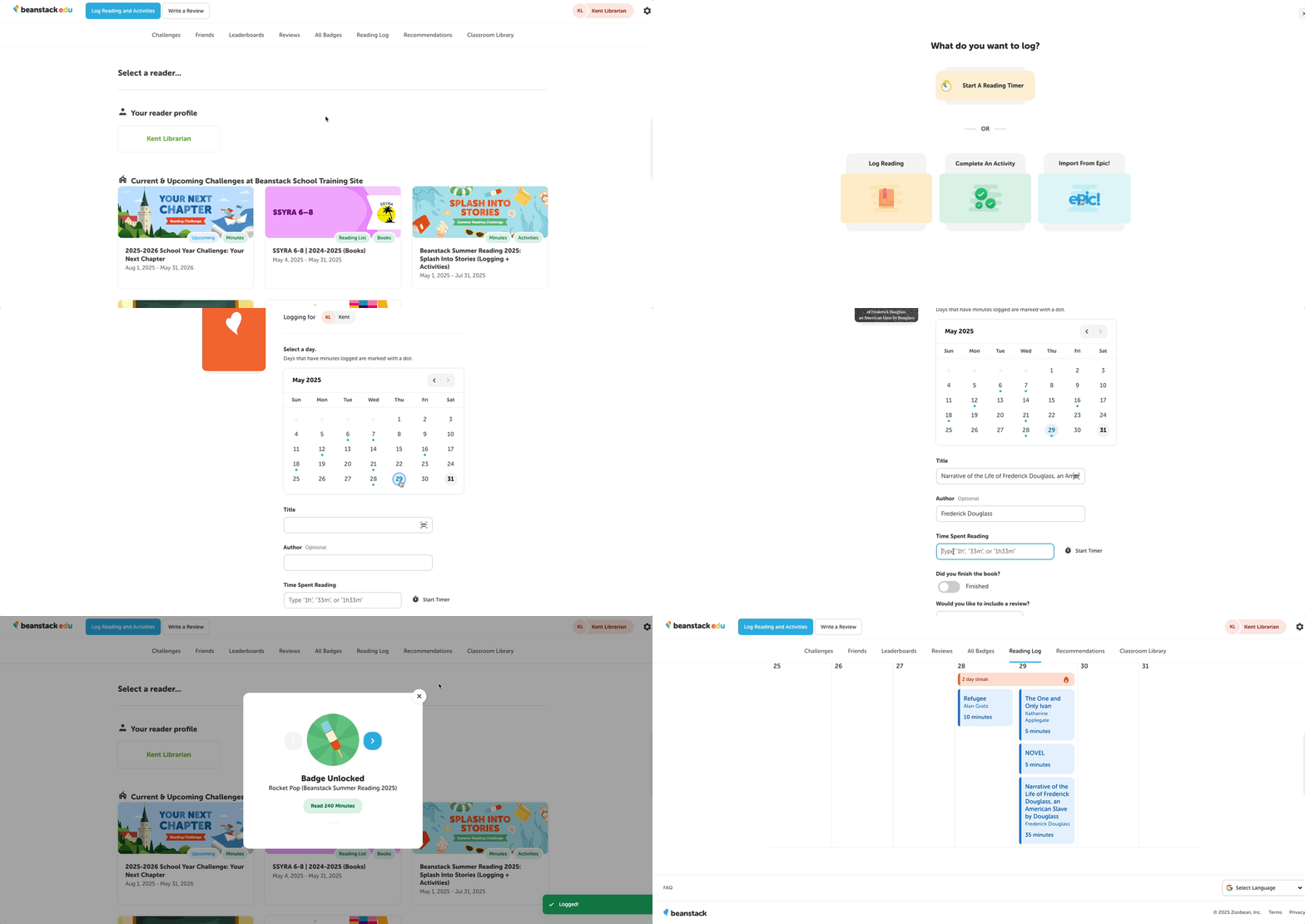 When your student signs in to your Beanstack site on the web, they can log their reading sessions.
Students can log their reading from any page by following these steps:
-
Log into your school site.
-
Click the “Log Reading” button in the upper left-hand corner of the page, next to your school or district logo.
-
Choose one of the available log types (e.g., minutes, books) to display the logging form.
-
Note: Not all of these logging types will be available on all site. Your student will see the logging types associated with the challenges that are activated on your sites. They may also see an option to log for specific titles included in a reading list challenge.
-
-
Complete the logging form with all relevant and required information, including the date for their reading, include all relevant and required information.
- Note: Students may see different fields or requirements, as they can change depending on the challenges and settings on your site.
-
Click “Log.”
You’ll be notified and congratulated for any badges earned after logging a reading session. They will then appear in full color on the challenge page its associated with.