

Tags: Classes & Readers, Activities, Staff, Teachers
Teachers can log activities for students rostered to them, while media specialists can complete activities for any students at the school.
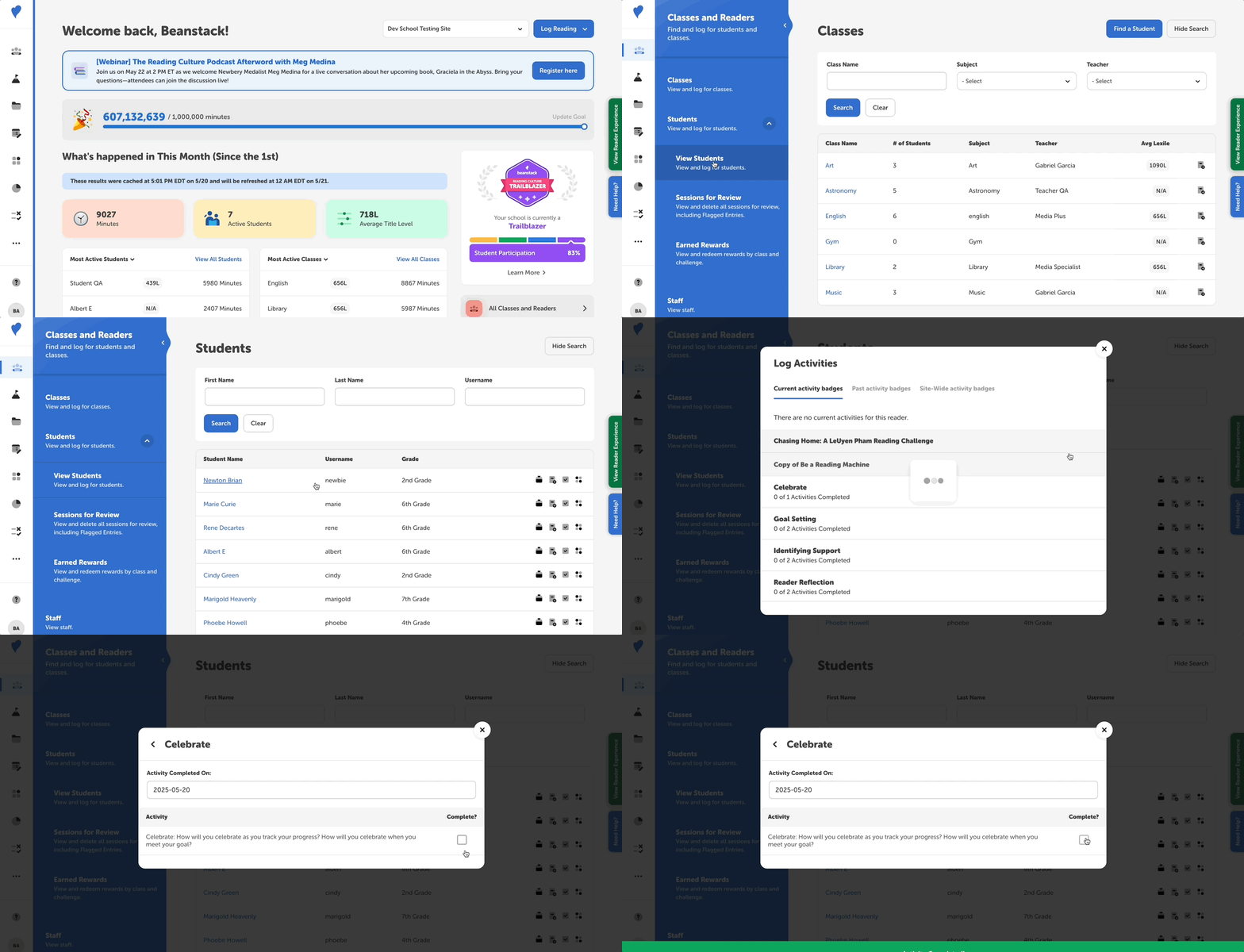 Follow the instructions below to find and log activities for a student:
-
Sign in to the admin view of your school site.
-
Navigate to Classes and Readers > Students > View Students.
-
Enter the student’s information and click “Search.”
-
Once you’ve located their name, click the “Log Activity” icon to its right.
-
Click the activity badge title for which you want to log activities.
-
Mark individual activities complete by clicking the empty checkmark box to add a green check.