

Tags: Classes & Readers, Staff, Badges
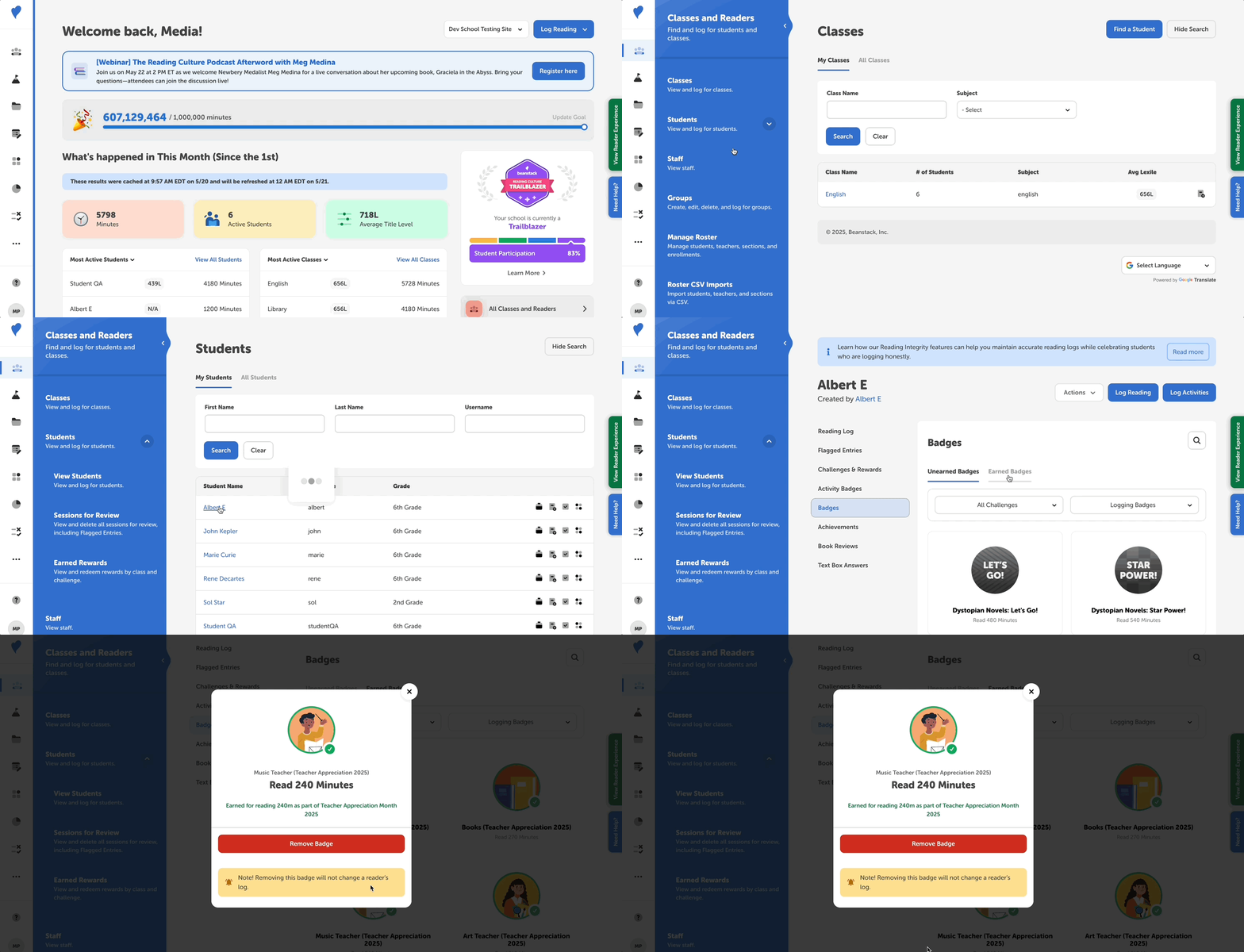
If a student accidentally logs too much reading, you can un-earn their erroneously awarded badges and associated rewards by following the steps below.
-
Log in to the admin view of your school site.
-
Navigate to Classes and Readers > Students > View Students.
-
Enter the student’s information and click “Search.”
-
Then, click the student’s name to go to their detailed profile page.
-
In the left navigation menu, select either of the following:
-
Badges > Earned Badges (or search by badge name)
-
Activity Badges
-
-
Filter by challenge name(s) and/or badge type(s) where applicable.
-
Take one of the following actions:
-
Under Badges > Earned Badges, click directly on the badge image of any badge that should not have been earned by the student and select “Remove Badge” to un-earn the badge.
-
Under Activity Badges, either un-check the “Completed?” box next to the badge name, or select “View Activity” to un-complete one or more activities associated with the activity badge. This un-earns the activity badge.
-
Notes on un-earning badges:
-
If a badge has a reward, ticket, or certificate attached to it, un-earning the badges also removes that prize from the student’s profile, or revokes any tickets or certificate attached to the badge. Likewise, if you award a badge with a reward, ticket, or certificate, they will be added to the student’s profile.
-
Un-earning badges does not change a student’s challenge completion status if their erroneously earned badges also earned them challenge completion, as challenge completion is final. This also doesn’t remove any extra reading time from their reading log; to do that, follow these steps.