

Tags: Reviews, Content, Staff
Note: Teachers can access reviews written by students rostered to them, while media specialists may access reviews written by any student within the school.
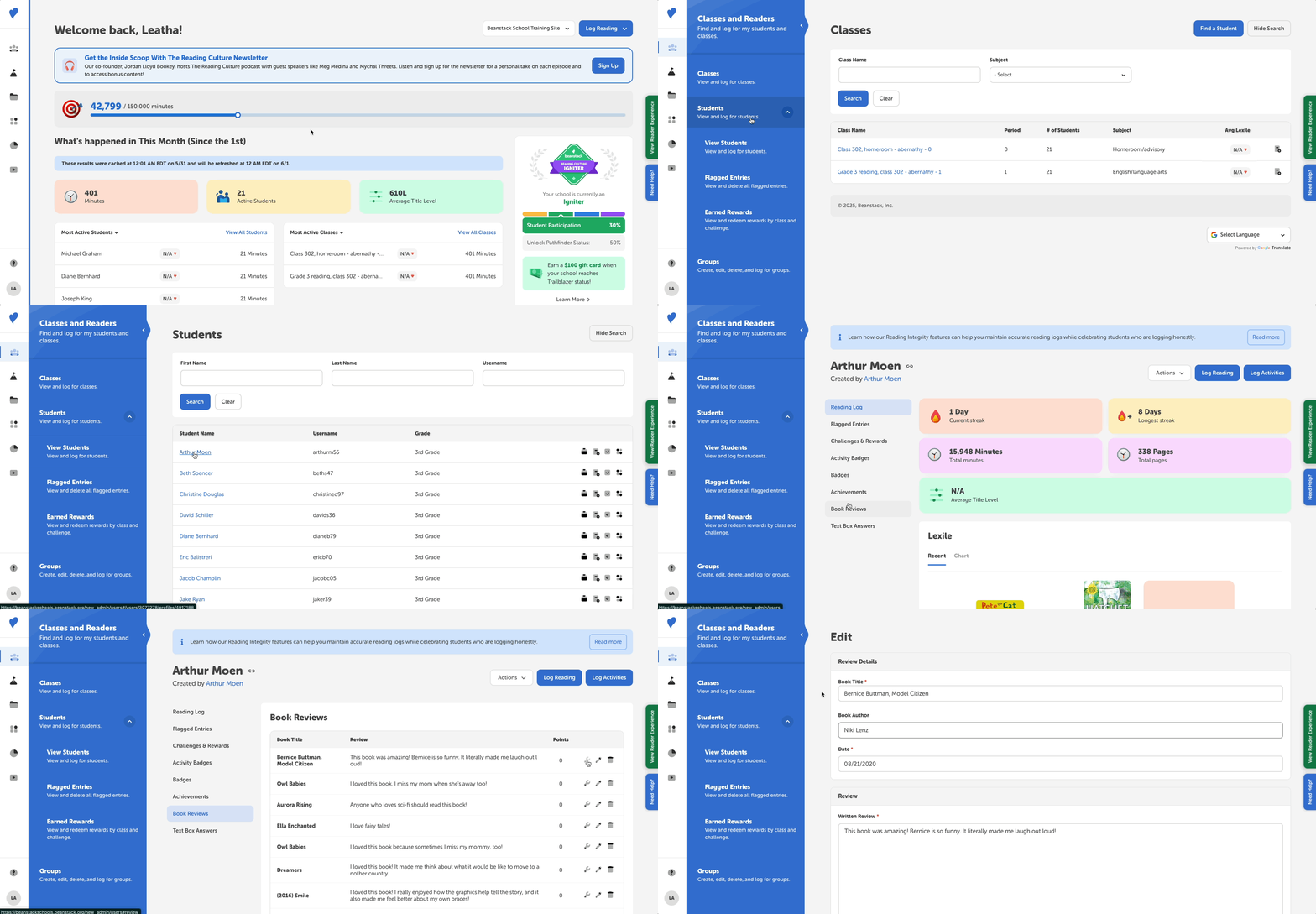
Follow the instructions below to see a student's individual review:
-
Log in to the admin view of your school site.
-
Navigate to Classes and Readers > Students > View Students.
-
Search for the student.
-
Click the student’s name to go to their profile.
-
Click “Book Reviews” in the left navigation.
While in this view, you can click the wrench icon button to approve or reject a review. You can click the pencil icon to edit the review (e.g., name or date). To remove the review, click the trash can icon button.