

Tags: Challenges, Rewards, Tickets, Drawings
After setting up your ticket drawing, you can view which readers entered tickets toward a ticket prize option either within the drawing itself or within your reports.
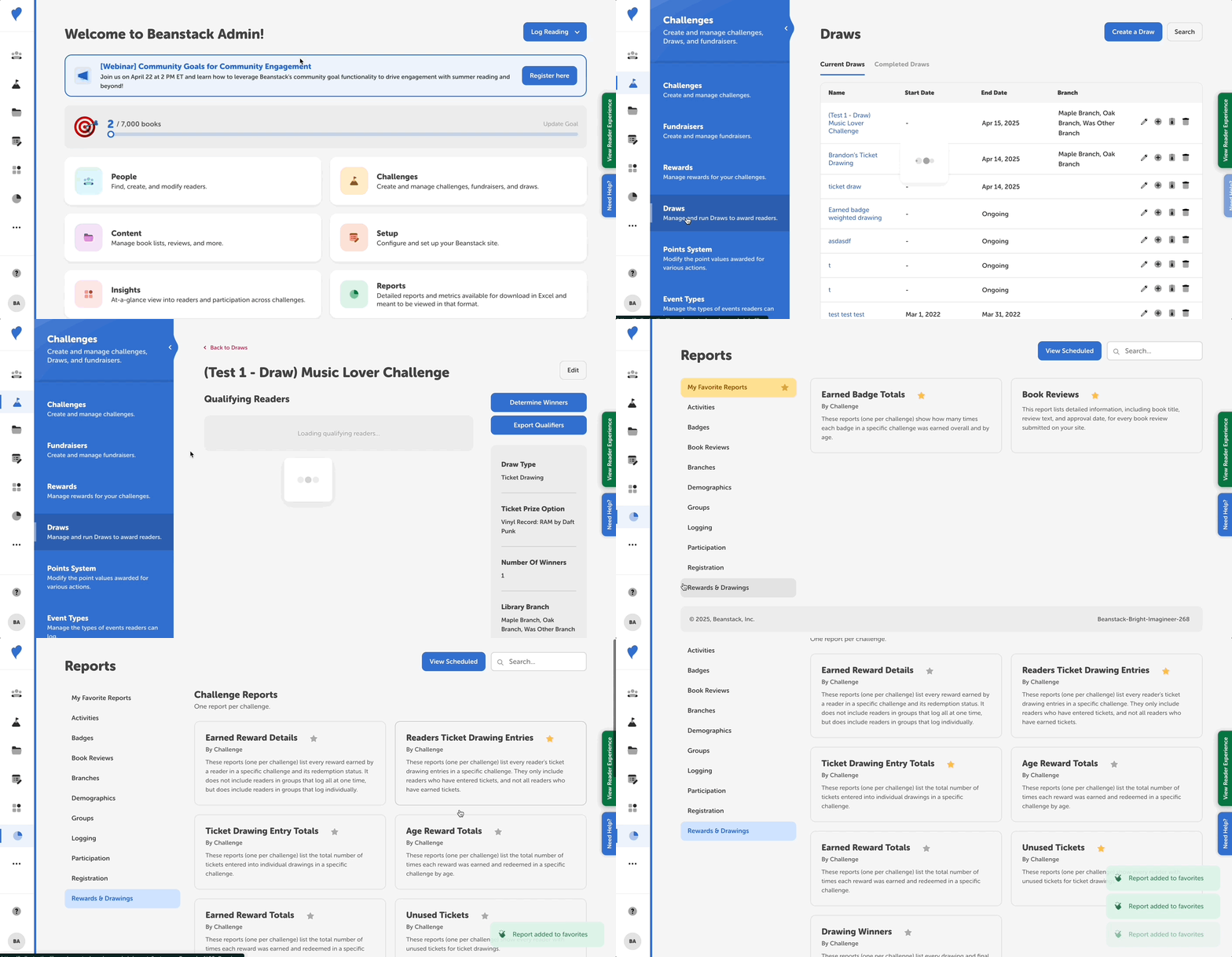
To view all qualifiers for a drawing, but not the number of tickets they entered:
-
Log in to the admin view of your site.
-
Navigate to Challenges > Drawings.
-
Select the drawing for the ticket prize option you’d like to view.
-
The first 50 qualifiers will appear on the drawing page.
-
If you have more qualifiers, click “Export Qualifiers” to receive an emailed CSV file of all the readers who deposited tickets toward that prize option.
-
-
To view qualifiers and other ticket data, navigate to Reports and search for any of these three reports, depending on what ticket information you want to see:
-
-
Readers Ticket Drawing Entries by Challenge: This report lists all the readers who entered tickets into a drawing in a specific challenge. You will be able to see the number of tickets each reader has entered toward individual ticket prize options in that challenge.
-
Ticket Drawing Entry Totals by Challenge: This report lists all the ticket prize options in a specific challenge and the total number of tickets entered toward each prize option in that challenge.
-
Unused Tickets by Challenge: This report shows every reader with unused tickets in a specific challenge.
-