

Tags: Challenges, Setup
You can set up a challenge that is only visible and available to staff accounts, which includes all library accounts from volunteer to library administrator and all school accounts from clerk to media specialist plus. We recommend using staff-only challenges for staff training and for testing new challenges.
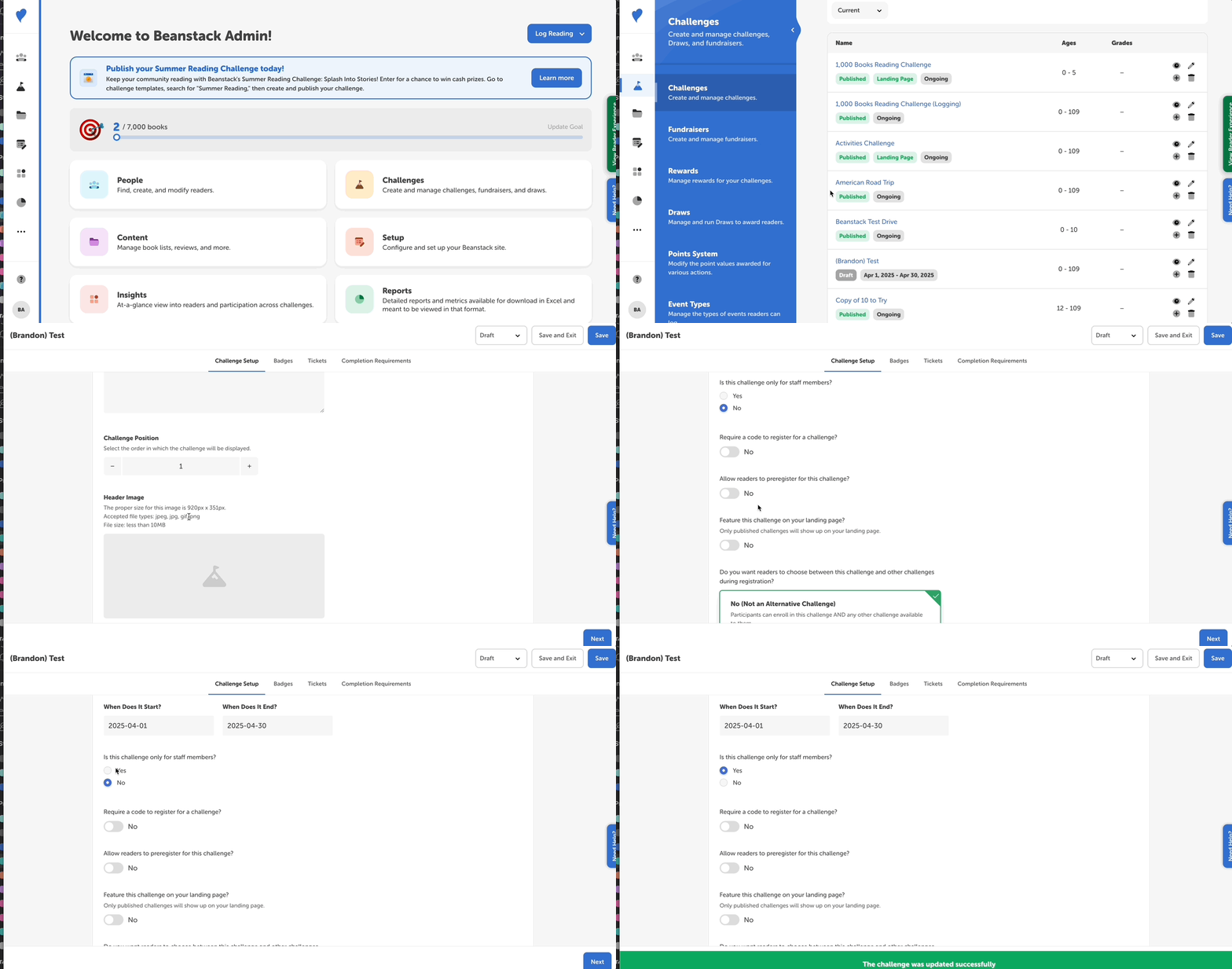
To make a challenge staff-only:
-
Log in to the admin view of your site.
-
Go to Challenges and select the desired challenge draft.
-
On the “Challenge Setup” tab, scroll down to the question ”Is this challenge only for staff members?"
-
Select “Yes” and click “Save” or “Save and Exit.”
Note: The challenge must be published and with current dates in order for staff readers within its age range to view and enroll in it.