

Tags: Setup
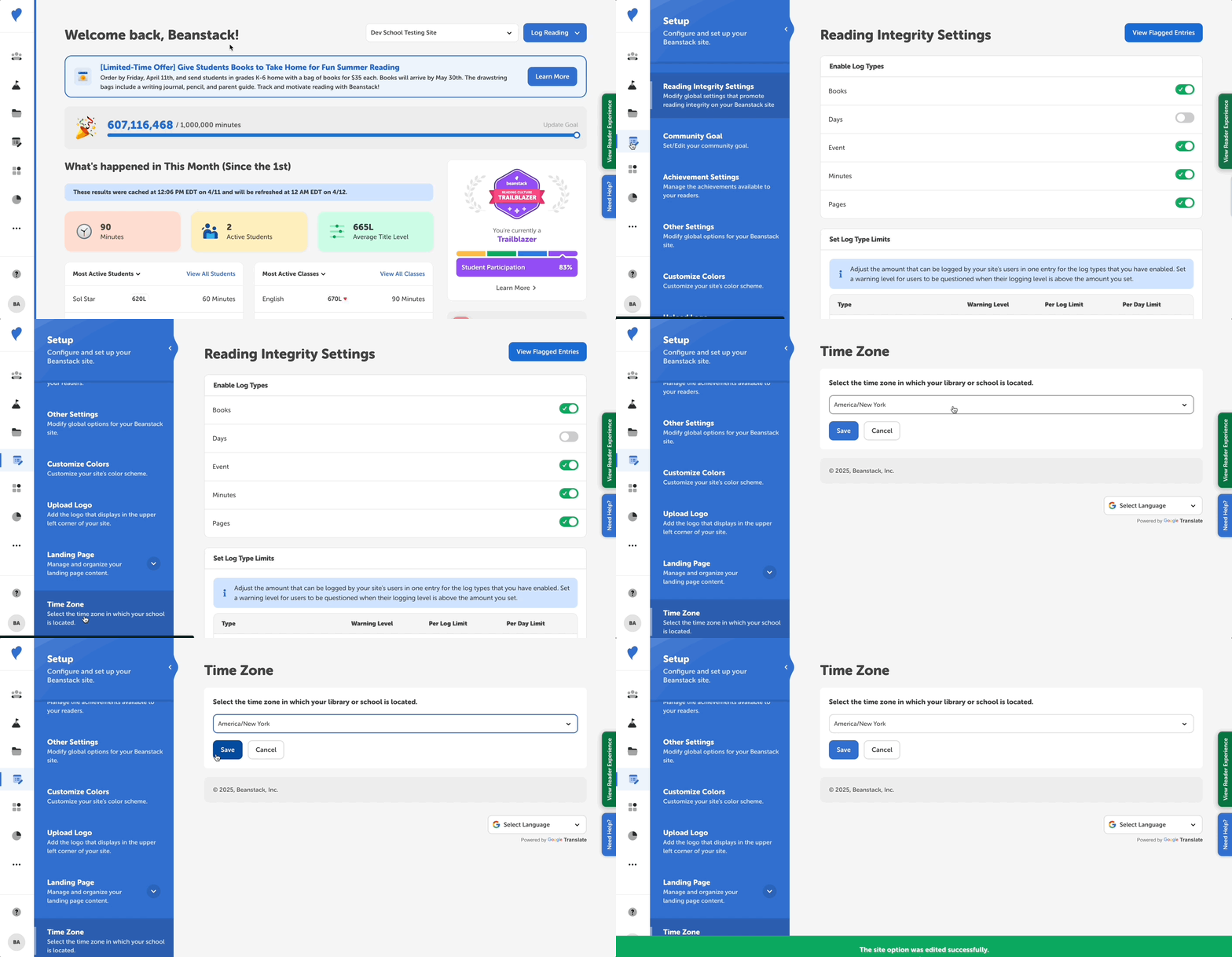
All Beanstack sites default to Eastern Time (ET). Library admins and Media Specialists Plus in schools can change their site’s time zone by following the steps below:
-
Log in to the admin view of your site.
-
Navigate to Setup > Time Zone.
-
Select the accurate time zone for your library or school and click “Save.”