Tags: Fundraisers, Setup
Donation badges award readers for their progress gathering donations from their friends, family, and community members during a reading fundraiser. They are earned when readers receive a set number of donations during an active readathon. Donation badges do not take into account the number of individual donors or the amount donated; they only track the number of donations made that are linked to that reader.
Note: Donation badges cannot be edited once a challenge is live. Follow the steps below to create and edit your fundraiser's donation badges when it's in draft mode.
-
Log in to your Beanstack site with your media specialist plus or library administrator account.
-
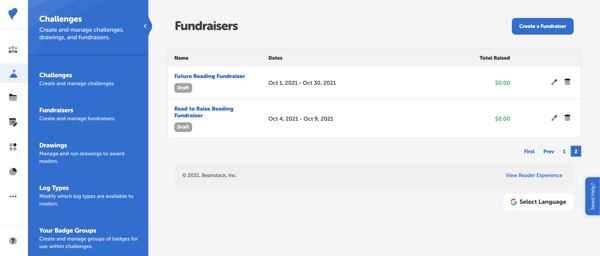
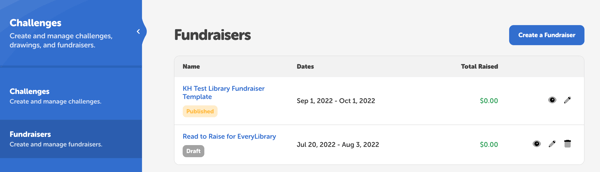
Navigate to Challenges > Fundraisers to view your fundraisers overview page.
-
Click the pencil icon to the right of the desired draft fundraiser.
-
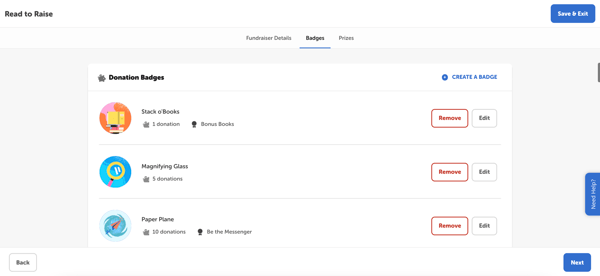
Click the “Badges” tab and scroll to view all of the fundraiser's included donation badges.
-
Click “Create A Badge” to add a new donation badge.
-
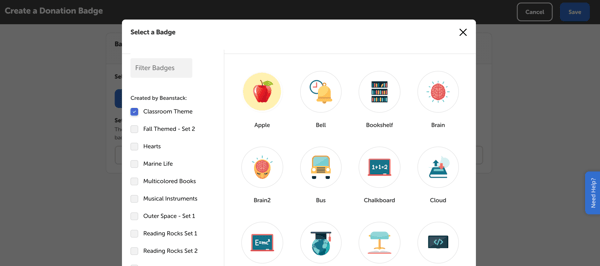
First, select the badge image by clicking “Find A Badge.”
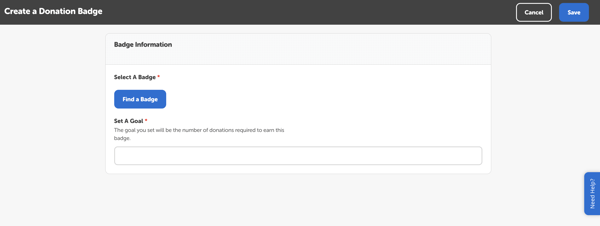
This will open a pop-up window where you can pick a badge group or search for a badge title and then click the desired image to select it.
-
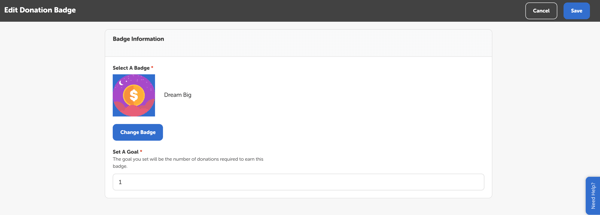
Then, set the donation goal. The goal is the number of individual donations a reader must receive in order to earn the badge. It does not take into account the amount donated.
-
Click “Save” when done.
-
To edit an existing donation badge, click the “Edit” button to its right. Change the badge image and/or the goal, then click “Save.”
-
To delete a donation badge, click “Remove.”
-
Click “Save & Exit” when you're done editing the fundraiser to save the changes and exit to your fundraiser dashboard.
-
Preview your changes by navigating back to the main page of your fundraisers section and clicking the eye icon to the right of your draft fundraiser.
-
Click the challenge page and then the “Badges” tab to view your newly edited donation badges.
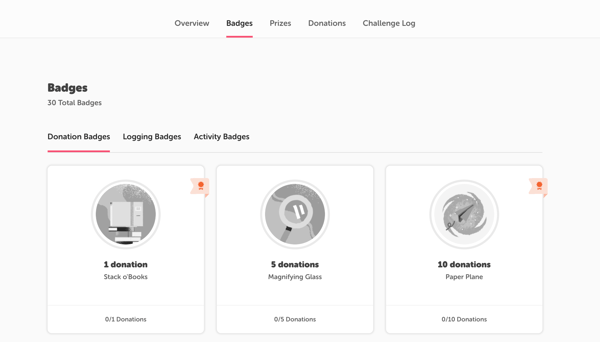
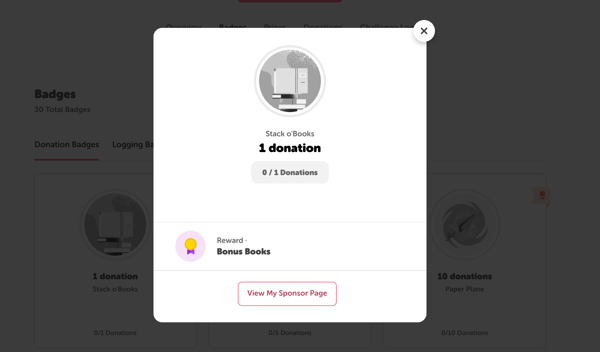
Clicking on a badge will open the badge modal and display any attached prizes.