

Tags: Libraries, Staff Actions
When adding a new reader to an account or when creating a new account from the admin view, you can enroll that reader in any available current challenges directly within the reader registration page.
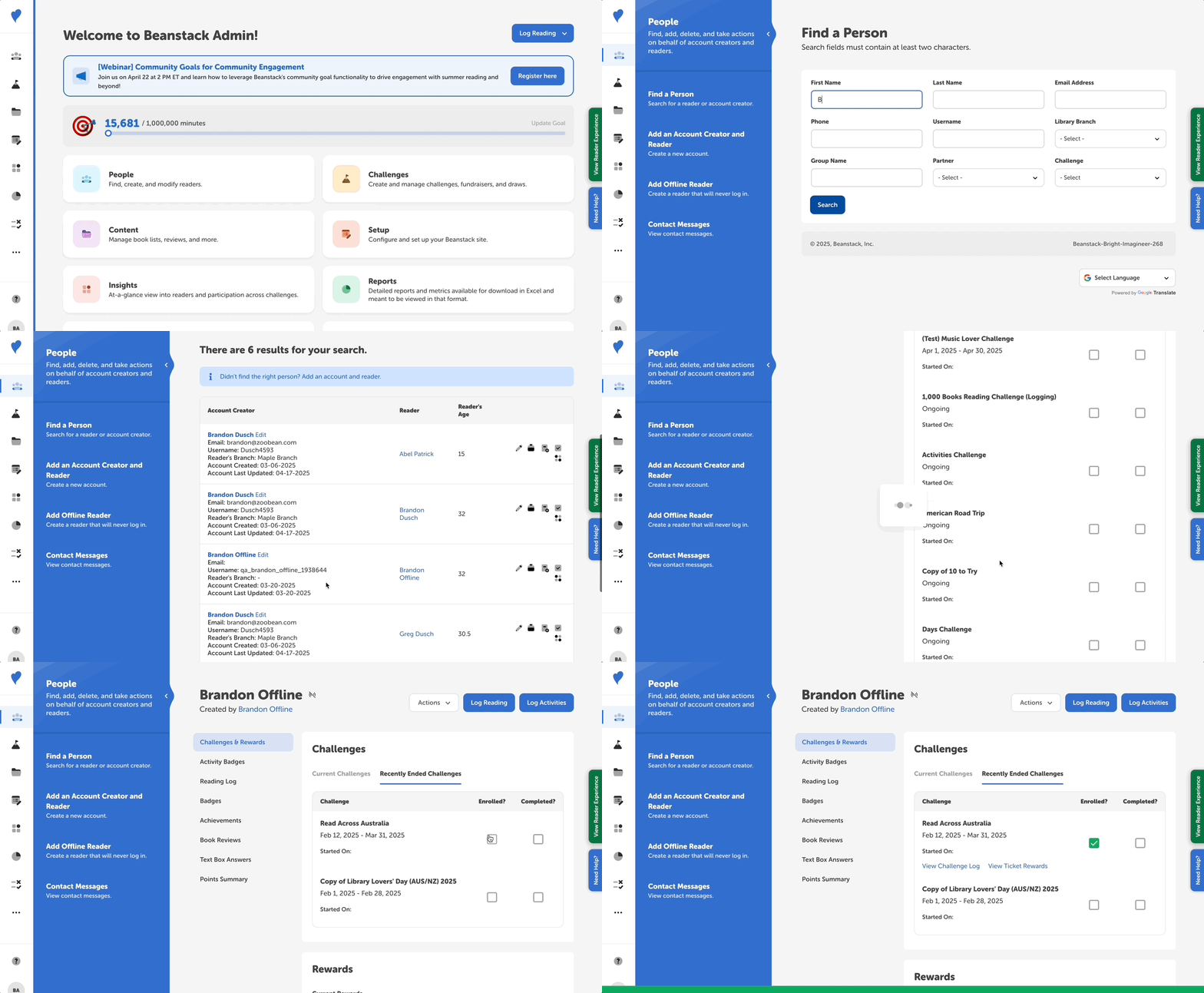
Sometimes you may need to enroll a newly added reader in a past challenge, however. This often happens with offline readers turning in paper logs after a challenge ends. In order to enroll a reader in a recently ended challenge, follow the steps below:
-
Log in to the admin view of your site.
-
Navigate to People > Find A Person.
-
Search for the newly added reader.
-
Select the reader name in the “Reader” column of the search results.
-
Note: If it’s an offline reader, their username begins with “qa_” by default.
-
-
On their reader profile page, click over to the “Recently Ended Challenges” tab.
-
Find the desired challenge, and check off the “Enrolled?” box.