

Tags: Libraries, Staff Actions
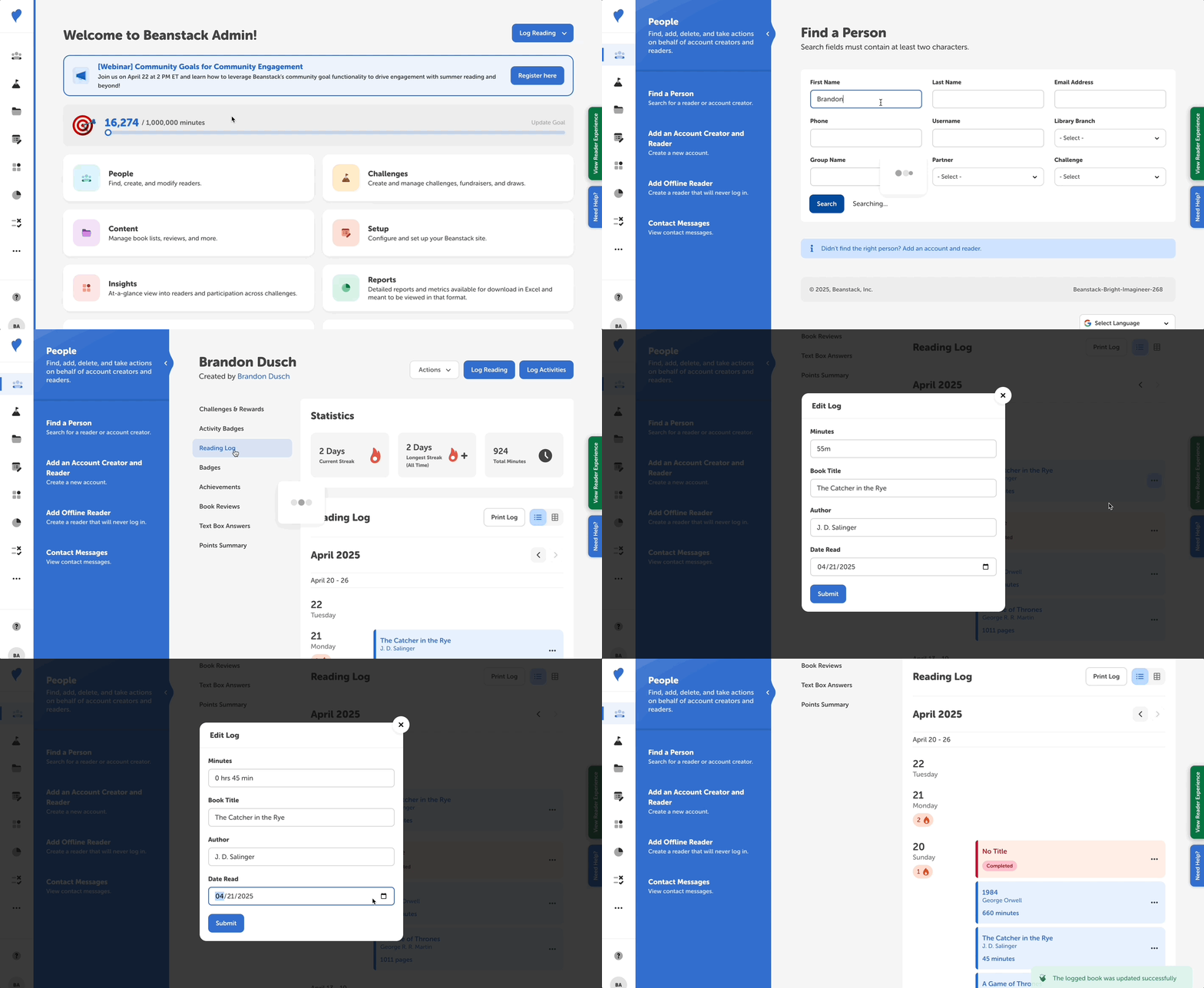
To edit a reader’s previously logged reading session, follow these steps:
-
Log in to the admin view of your site.
-
Navigate to People > Find a Person.
-
Search for the reader’s information.
-
Click their name in the “Reader” column to view their reader profile page.
-
Next, click the “Reading Log” section on the lefthand navigation sidebar to view the reader’s logged reading sessions.
-
To edit the desired reading session, you can either:
-
Click the three dots to the right of the session (either in list- or grid-mode), then click “Edit.”
-
Click the reading session itself to bring up a modal, then click “Edit Session.”
-
-
Edit the information as needed, such as changing the minutes or log date.
-
Click "Save.”