

Libraries with a live tandem connection with local schools can view all of the readers who linked their profiles by using the “School Tandem Connected Reader” report.
Any reading transferred from a reader’s linked school profile to their library profile is documented just like reading logged directly on your site. Linked reading sessions are not differentiated or identified in any reports.
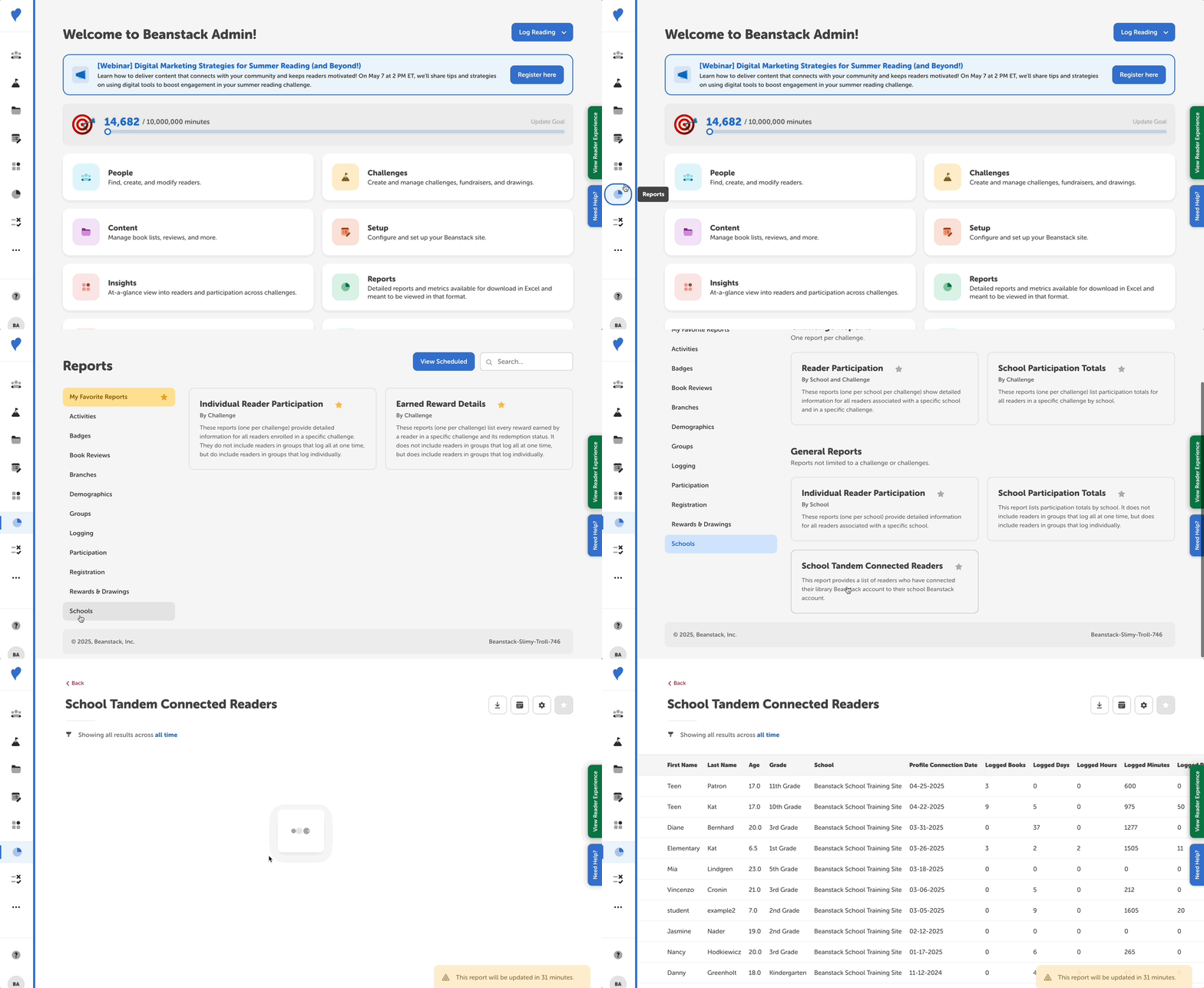
To access the “School Tandem Connected Reader” report:
- Log in to the admin view of your site.
- Navigate to Reports.
- Search for "tandem" or navigate to the “Schools” section to find the “School Tandem Connected Reader,” listed under General Reports.
- Click the report and use the date filtering, column customization, scheduling, and downloading options as needed.