

Tags: Libraries, Staff Actions
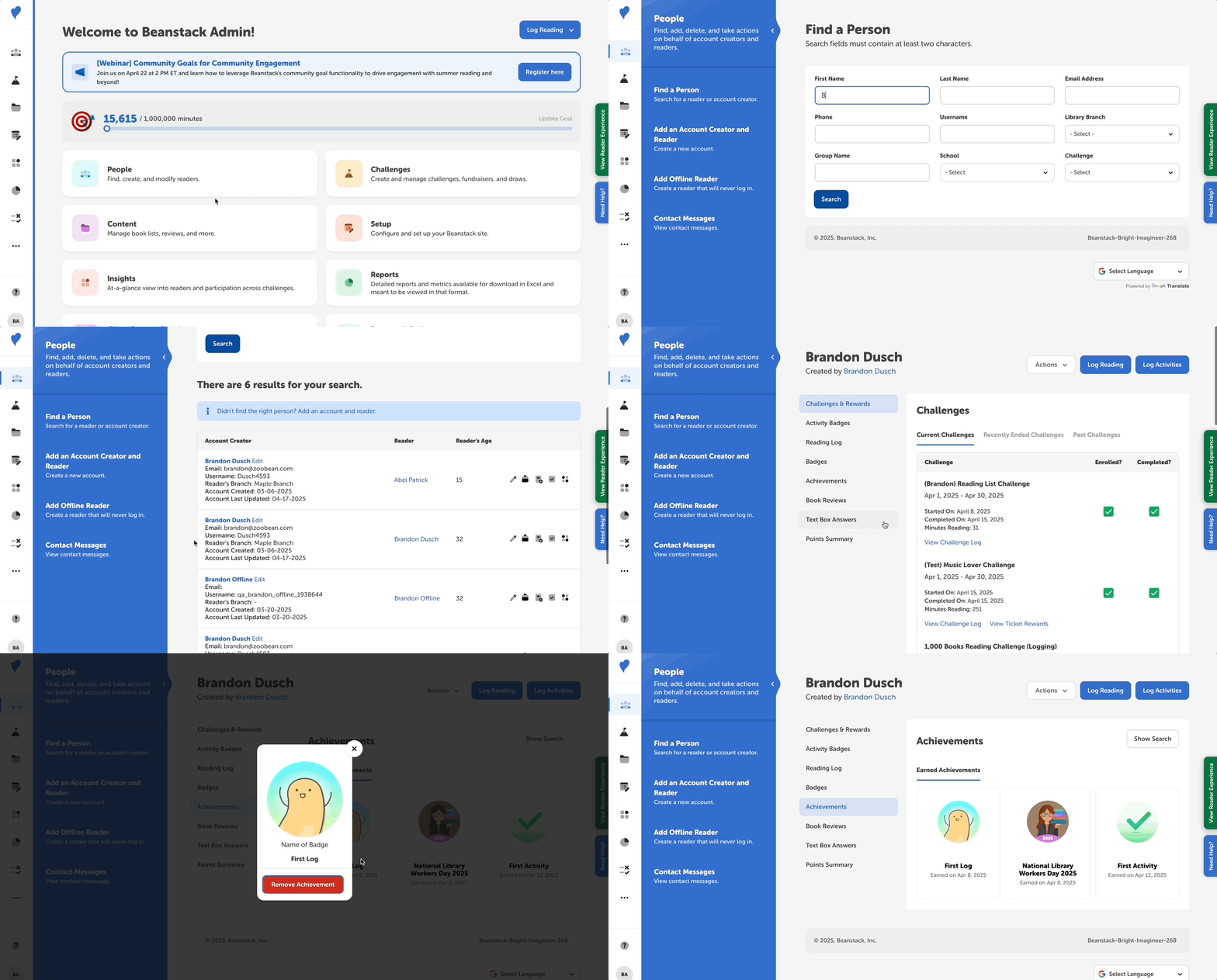
When a reader earns an achievement—a global congratulatory badge rewarded for reading actions not attached to a challenge—it appears on their reader profile. You can view their earned achievements by following the steps below.
-
Log in to the admin view of your library site.
-
Navigate to People > Find A Person.
-
Search for the reader in question and click their name in the second column to view their reader profile.
-
Click “Achievements” in the sidebar on the left of the screen to view all the achievements that the reader has earned and the date on which they were awarded.
Note: If you want to change the achievement categories active on your site, read how here.