

Tags: Reports & Insights, Insights, Reports, Libraries
On your site, all the reports with data about account creation are housed in the “Registration” section under Reports.
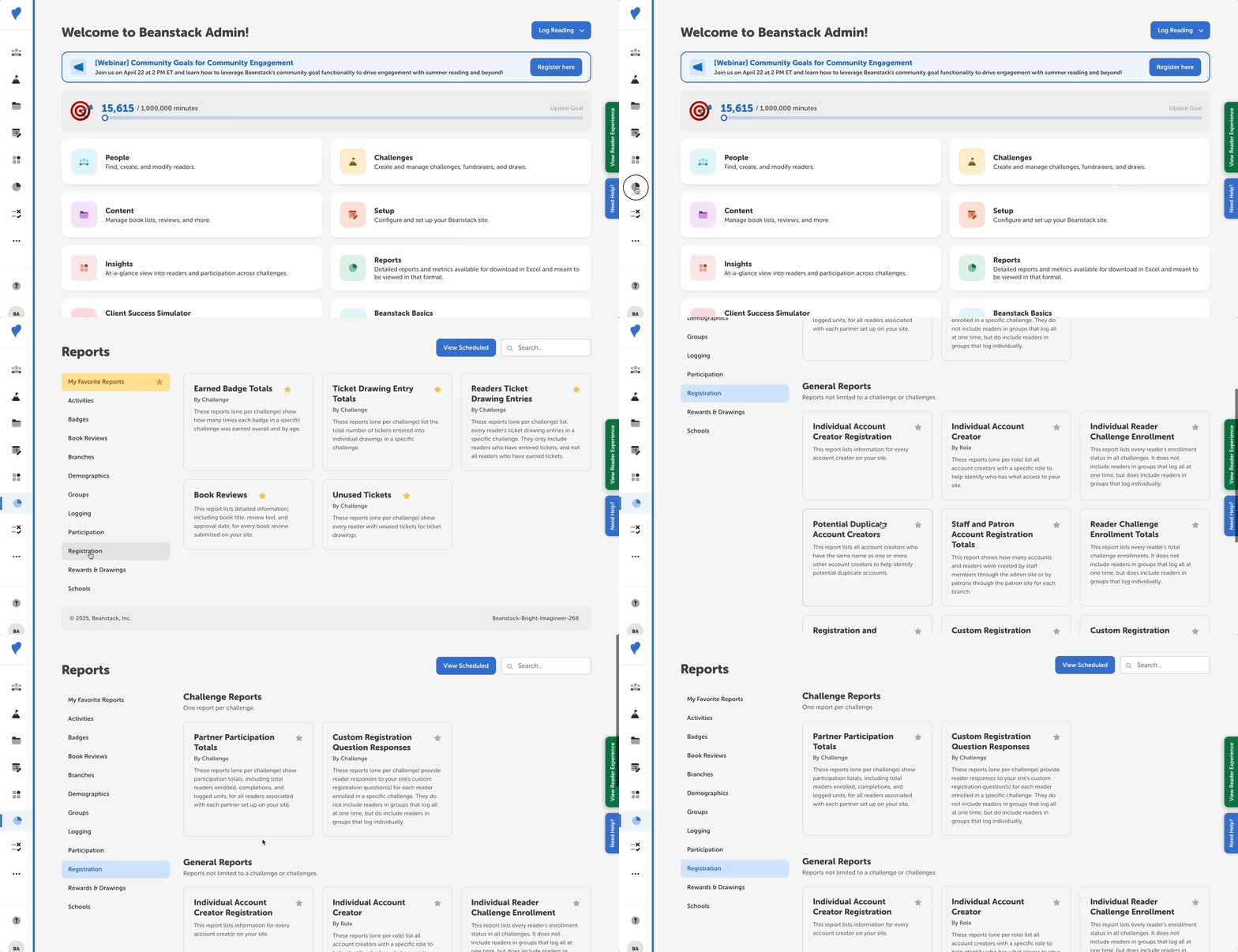
A few particularly helpful registration reports are:
-
Mobile v. Web Registrations: Use this report to see the total number of accounts created on the mobile app vs. the website. Adding date restrictions filters the data to only show accounts created during that date range.
-
Staff and Patron Account Registration Totals: Use this report to get the total number of accounts and readers created through patron-side registration or through admin creation. Adding date restrictions filters the data to only show accounts created during that date range.
-
Individual Account Creator Registration: Use this report to see information about individual accounts, including how many readers they have (the “Number of Readers” column), if they were created on the patron or staff side (the “Added By” column), their last login date, and when they were created. Adding date restrictions filters the data to only show accounts created during that date range.
-
Potential Duplicate Account Creators: Use this report to see all the account creators who have the same name as one or more other account creators in order to identify and fix duplicate accounts. This report shows if accounts were created on the staff or patron side (the “Source Page” column), when they were created and last updated, their last login date, and how many readers they have (the “Number of Profiles” column). Adding date restrictions filters the logging totals to only show reading logged during that date range, for all potential duplicate accounts.