Tags: Registration, Libraries, Setup
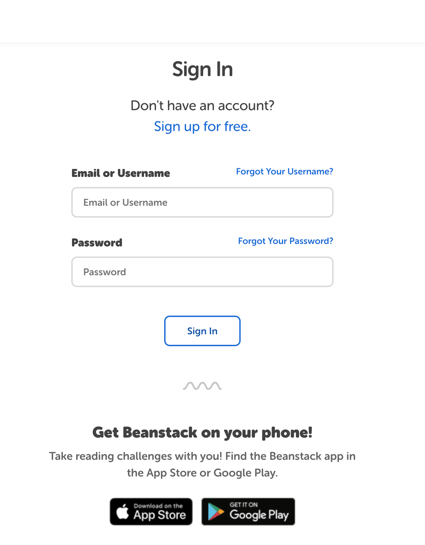
The Beanstack mobile app is an unparalleled asset for increasing engagement and readership. To help more readers easily access the app, there’s a message that links to the app within the Google Play or App Store that displays on your Beanstack sign-in page on the web, below the login fields.
Note: This message appears by default as long as your Beanstack subscription includes mobile app access.
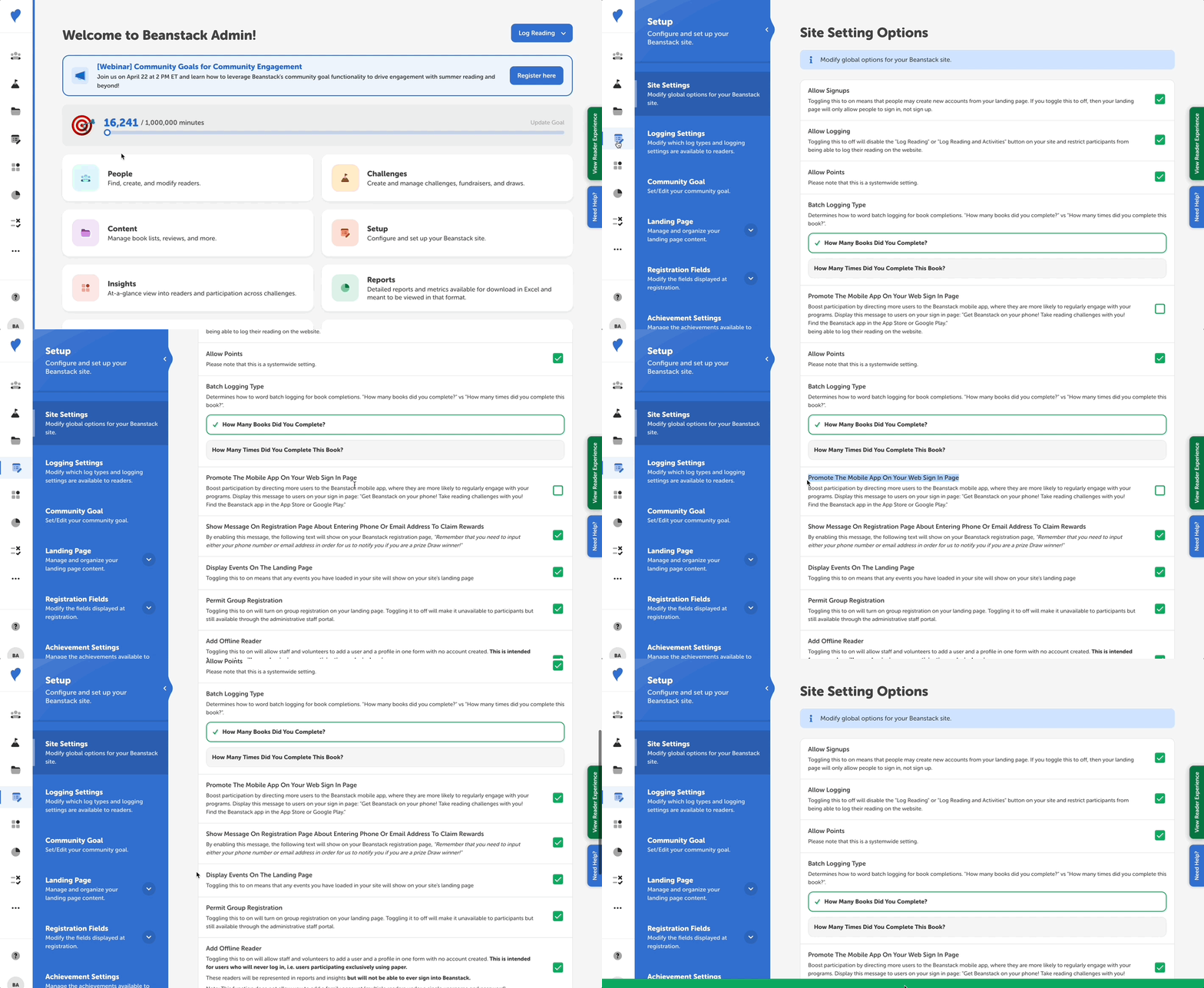
If you’d like to deactivate or reactivate the message, you can do so by following the steps below:
-
Log in to the admin view of your library site.
-
Navigate to Setup > Site Settings.
-
Scroll down and uncheck or check the box next to “Promote The Mobile App On Your Web Sign In Page.”
-
Click “Save.”
Now, when readers go to your site’s sign-in page, they will see a message encouraging them to download the app!