

Tags: Challenges, Rewards, Tickets, Drawings
Is your drawing dashboard getting cluttered? You can easily archive and un-archive drawings to better organize them!
Note: Only library administrators and media specialists plus can archive drawings.
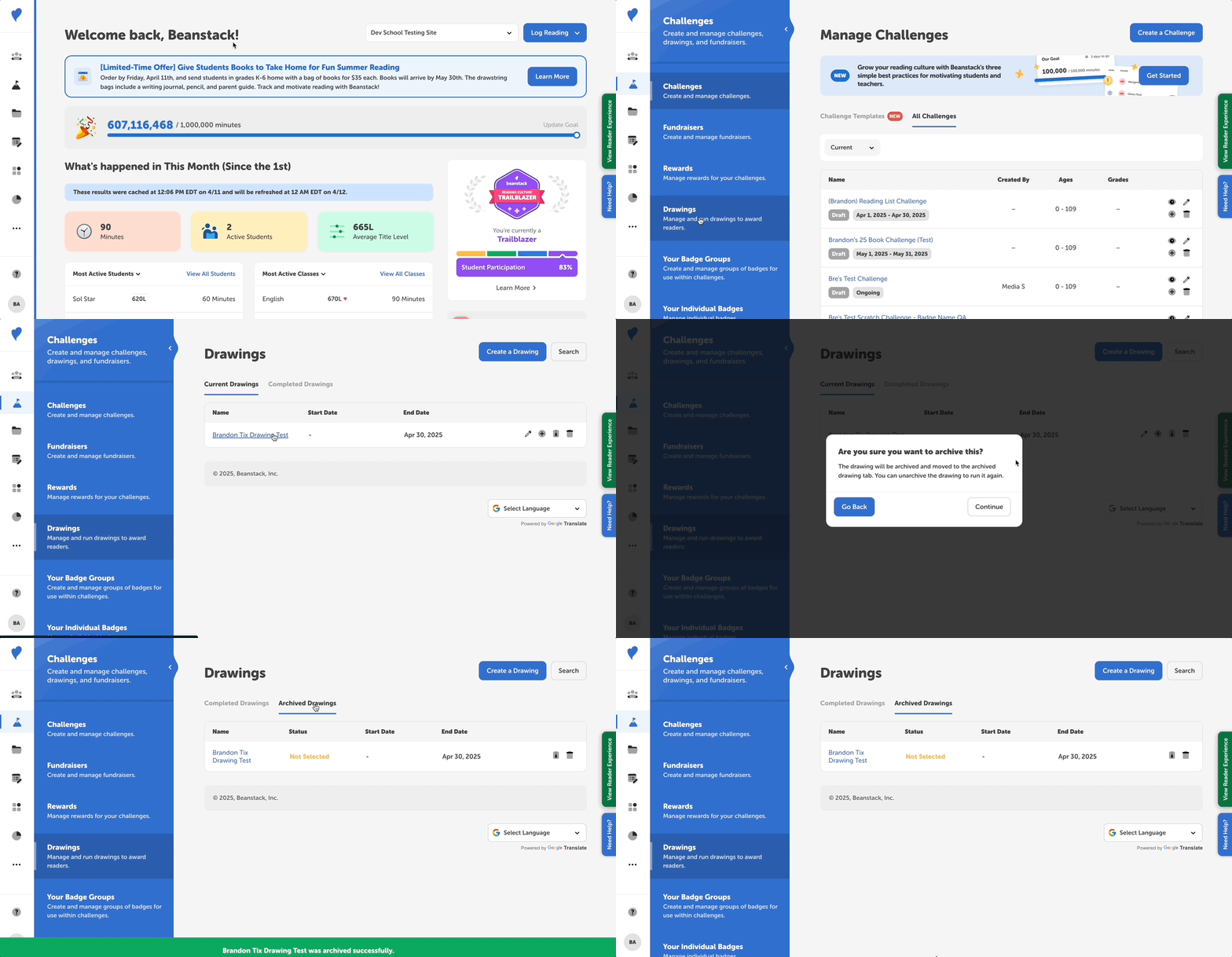
- Log in to the admin view of your site.
- Go to Challenges > Drawings.
- Click the archive icon next to the current or completed drawing you’d like to archive and confirm by clicking “Continue.”
- The drawing will move to your Archived Drawings tab. If you’d like to restore the drawing to your Current or Completed Drawings tabs, simply click the archive icon again.