

Tags: Teachers, Media Specialists, Classes & Readers, Students, Schools
Teachers and media specialists can add notes to individual students on the admin view. This can be helpful if tracking location-specific information or incentives that are not collected site-wide.
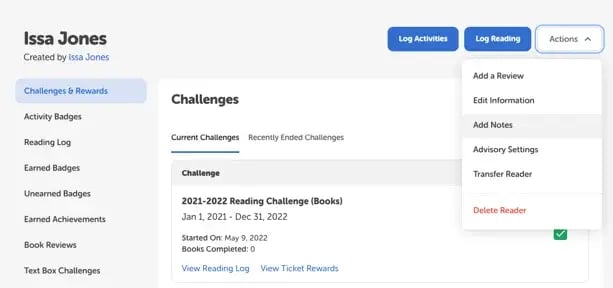
To add, edit, or view a note:
-
Log in to the admin view of your site.
-
Navigate to Classes and Readers > Students > View Students.
-
Search for the student and click their name in the “Student Name” column to open their profile page.
-
Click the “Actions” dropdown in the top right corner of the screen and select “Add Notes.”
-
Add, view, or edit the information in the note.
-
Click “Save.”