

Tags: RMI
Note: This article is for RMI Classroom users only. If you have Beanstack and RMI, please refer our General Information section.
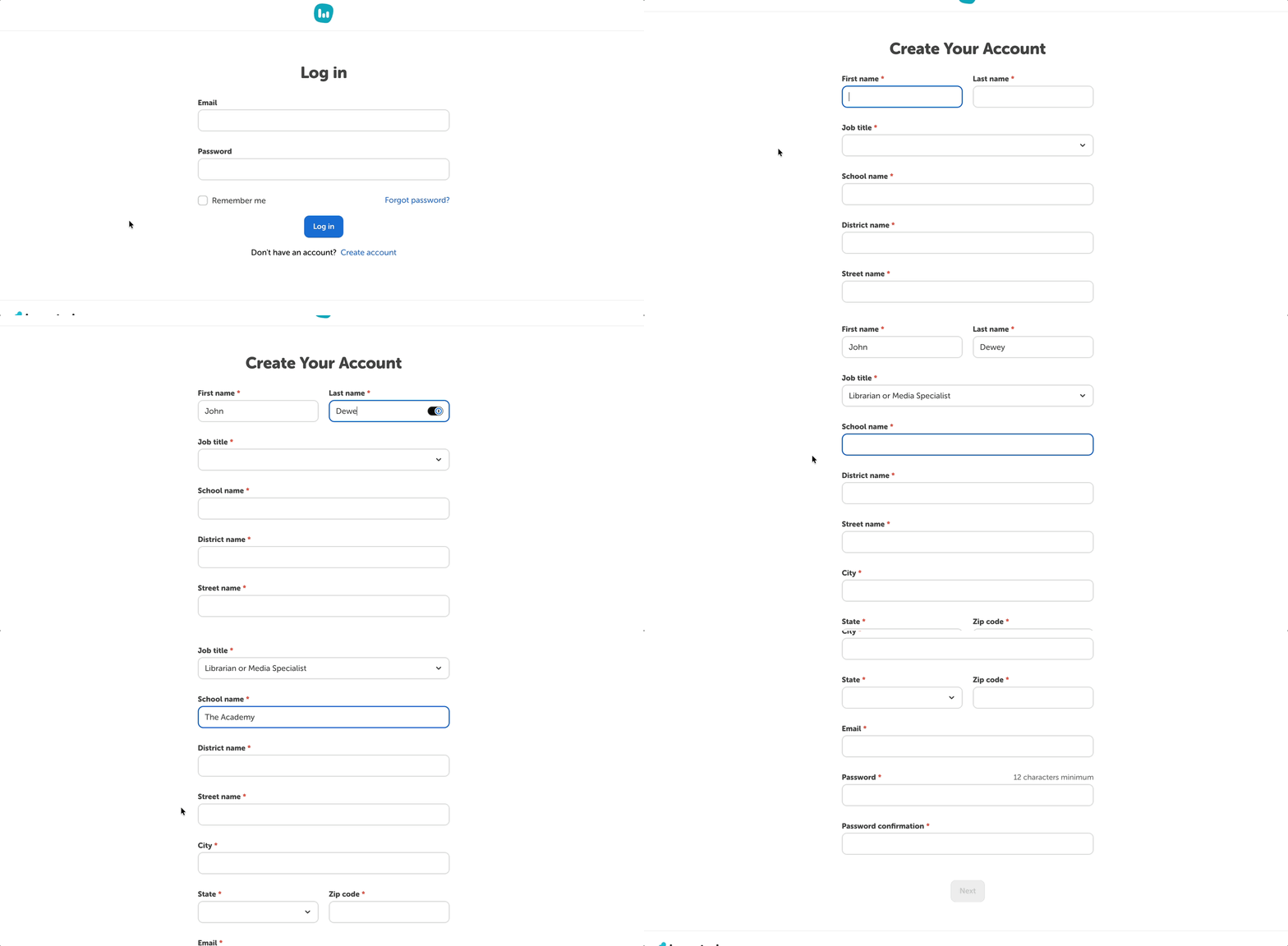
To create an RMI Classroom account and purchase a subscription:
- Go to https://rmi.beanstack.com/ and click “Create an Account.”
- Enter the required personal and payment information, a valid email address, and a strong password.
- Verify your email address.
- Note: you must verify your email within 48 hours or we will lock your account.
This creates an admin user for 1 RMI Classroom account.
Note:
- Only 1 admin user per RMI Classroom account.
- Only 100 students per RMI Classroom account.
- You cannot transfer data from an RMI Classroom account to a Beanstack account.