
Tags: Registration, Setup, Libraries, Logging
By default, readers in Beanstack can back-date their reading without restrictions in order to enter past reading sessions. This can be especially helpful for busy families, students who use paper logs alongside Beanstack, and those with limited broadband coverage or cell service who can’t log their reading in real-time.
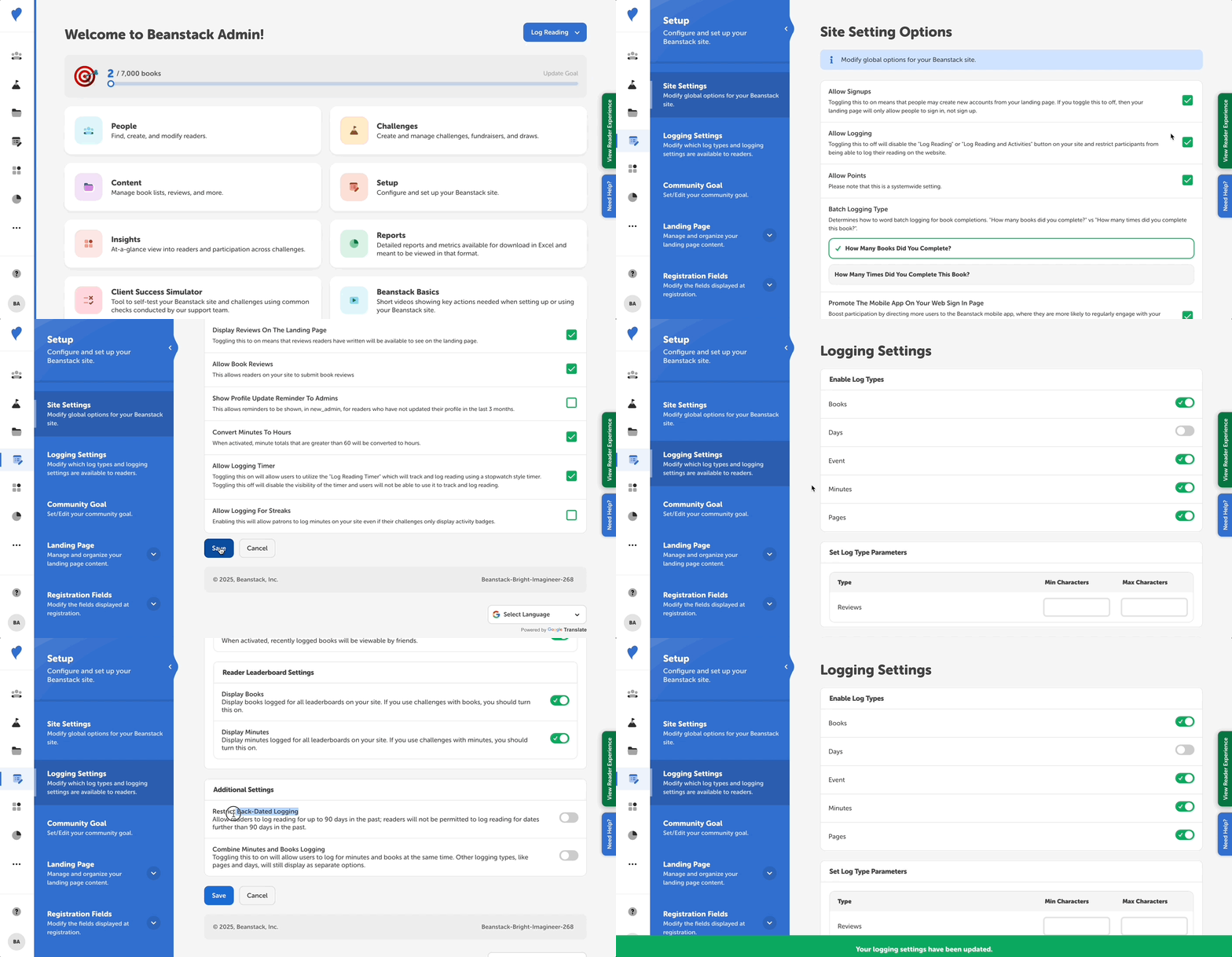
If you would like to restrict back-dated logging on your site so that readers and staff can only log reading for up to 90 days in the past, follow the steps below. You cannot restrict back-dated logging for a shorter time frame than 90 days in the past.
-
Log in to the admin view of your library site.
-
Navigate to Setup > Logging Settings.
-
Scroll to the bottom of the list of site settings and toggle on “Restrict Back-Dated Logging.”
-
Click “Save.”
If a reader attempts to log any type of reading on a date more than 90 days in the past, whether on the web or mobile app, they will see a message informing them that “You can log reading for up to 90 days in the past. Select a new date or use today’s date by default.”
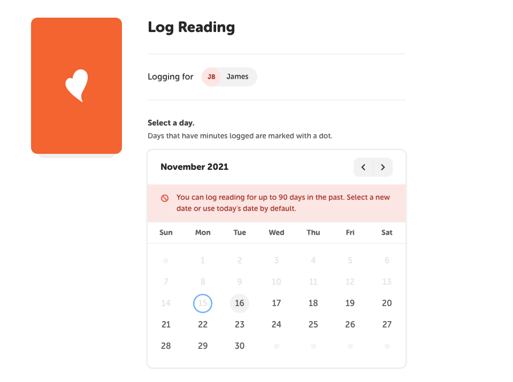
Note: If staff attempt to log any type of reading on a date more than 90 days in the past for a reader from the admin dashboard, they will get an error message that “The date provided can’t be more than 90 days ago.” and must pick a later date to log the reading.