

Tags: Logging, Setup
-
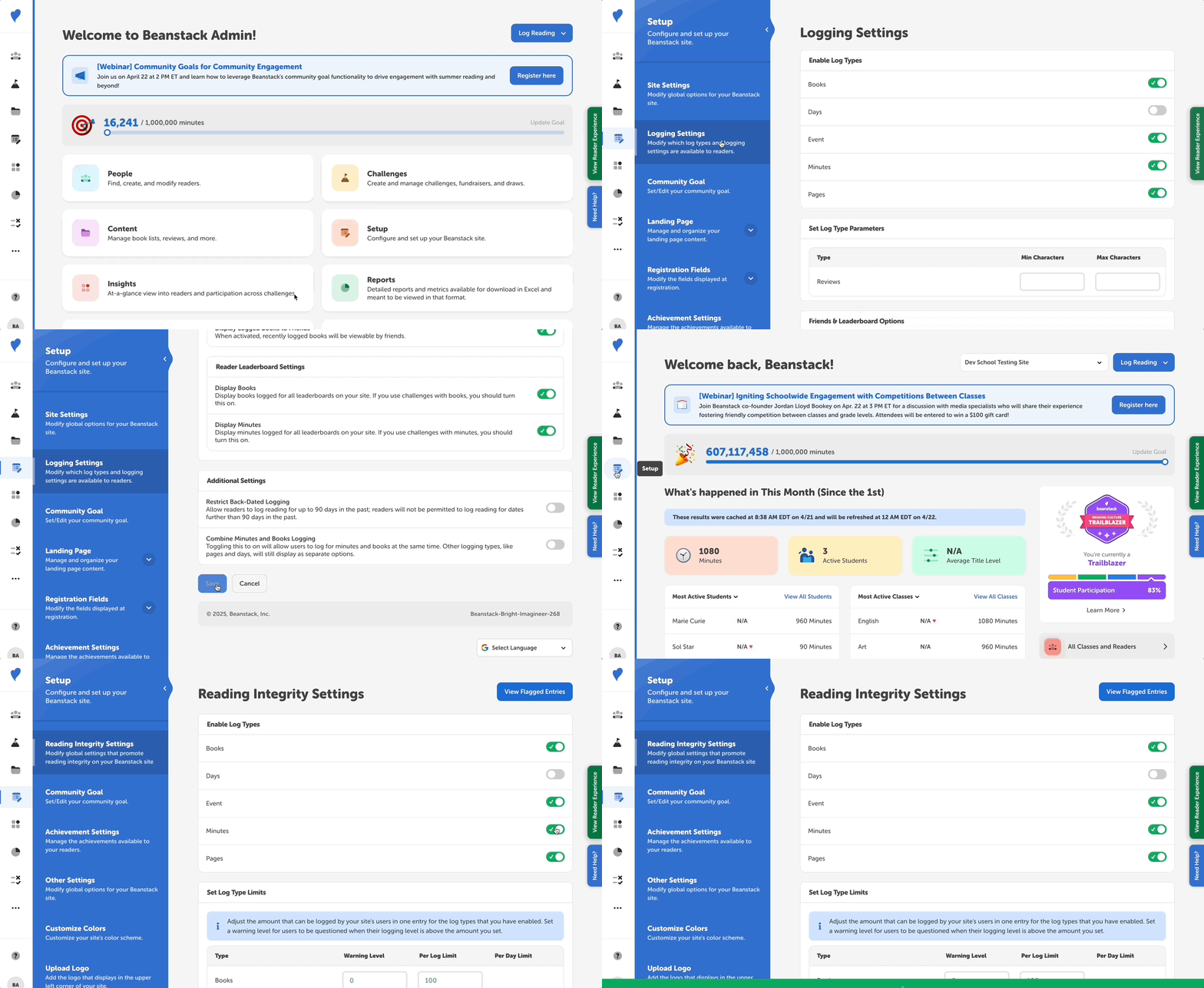
Log in to the admin view of your site.
-
Go to the “Enable Log Types” setting under the Setup section of your site:
-
Libraries: Setup > Logging Settings > “Enable Log Types.”
-
Schools: Setup > Reading Integrity Settings > “Enable Log Types.”
-
-
Check off all the log types you’d like to use in your challenges.
Do you want to display hours but allow readers to log with minutes? If so, choose “minutes” as your log type, and enter minute increments for the logging badges on the challenge. Then, submit a ticket or contact your client success manager to request that your site display hours instead of minutes.