

Clicking a reader’s name anywhere in Beanstack opens their profile in a drawer on the right side of your screen. Every profile starts with a reading “snapshot”—a brief quick summary and key data points that give you a full picture of their reading progress.
The buttons along the drawer’s left edge let you expand the profile to full screen, close the drawer, and copy a link that goes directly to the profile.
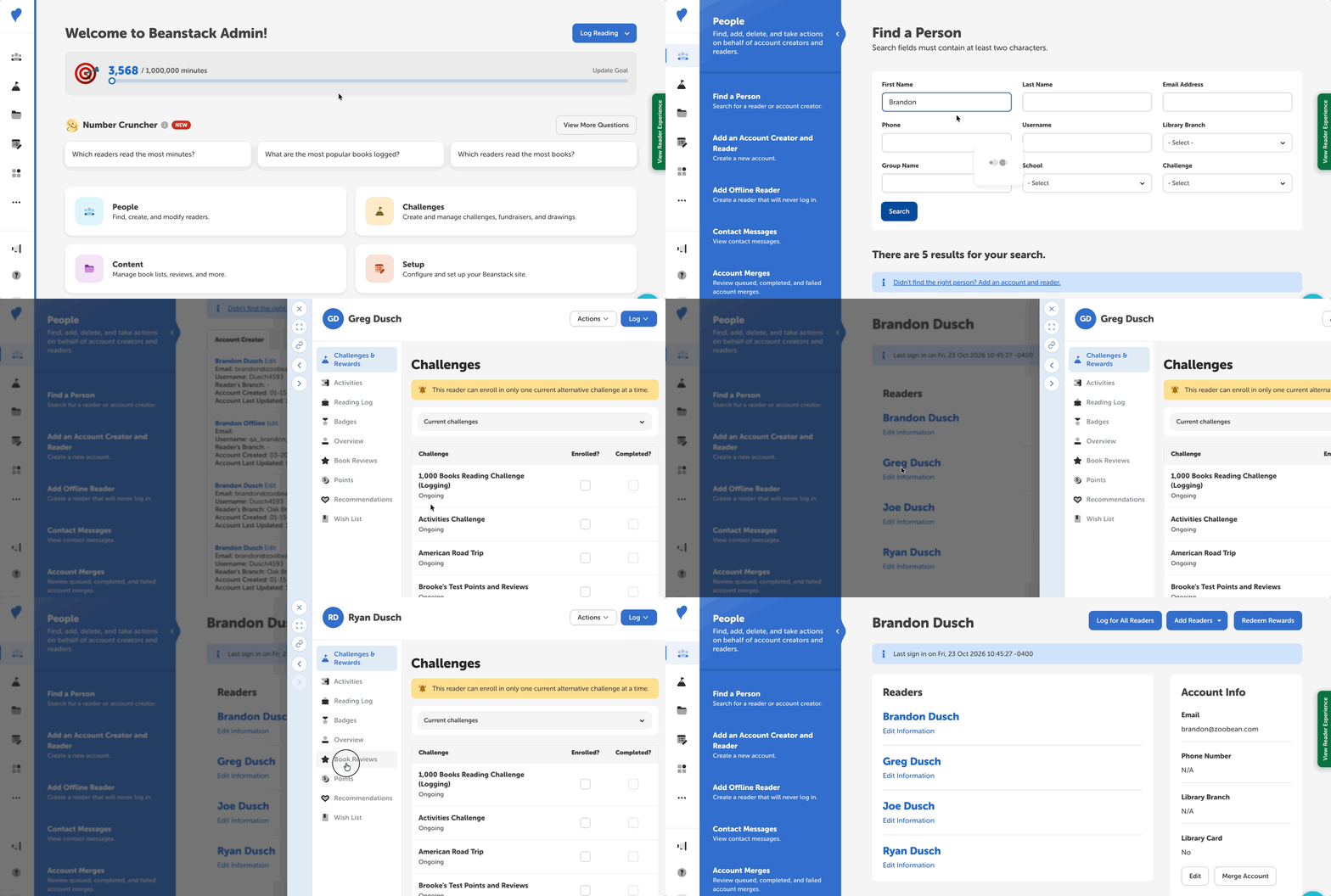
Accessing the Reader Profile
After logging into the admin view of your site, you can display a reader profile by clicking their name. These profiles can be shown in a few different places, including:
-
Classic Search: Click “People” on your dashboard (or go to People > Find a Person).
-
When you select an account creator with multiple reader profiles, you can easily navigate between all readers by using the left- and right-arrow buttons on the profile drawer’s left side.
-
Dashboard Data: Click “Insights on your dashboard (or go to Insights > Dashboard).
-
Reader Reviews: Click “Content” on your dashboard (or go to Content > Reviews).
Reader Profile Highlights
The sidebar lists the profile’s sections in this order:
-
Challenges & Rewards lists the challenges the reader is enrolled in, is eligible for, or has completed.
-
Activities lists the activity badges the reader has completed, including their written answers to text box activities.
-
Reading Log gives a detailed breakdown of all the reader’s logged reading.
-
Badges lists the badges and achievements the reader is working on, is eligible for, or has earned.
-
Overview gives a “snapshot” of the reader’s progress.
-
Benny’s summary describes the reader’s current reading progress.
-
The “At a glance” table shows stats like total minutes read and current streak.
-
Book Reviews shows the reviews the reader has written.
-
Points display the total points earned by the reader.
-
Recommendations give the readers suggestions for what to read next.
-
Wish List is a simple “to-be-read” list that readers can add to.