

Tags: Book Talks with Benny, Admins, Schools
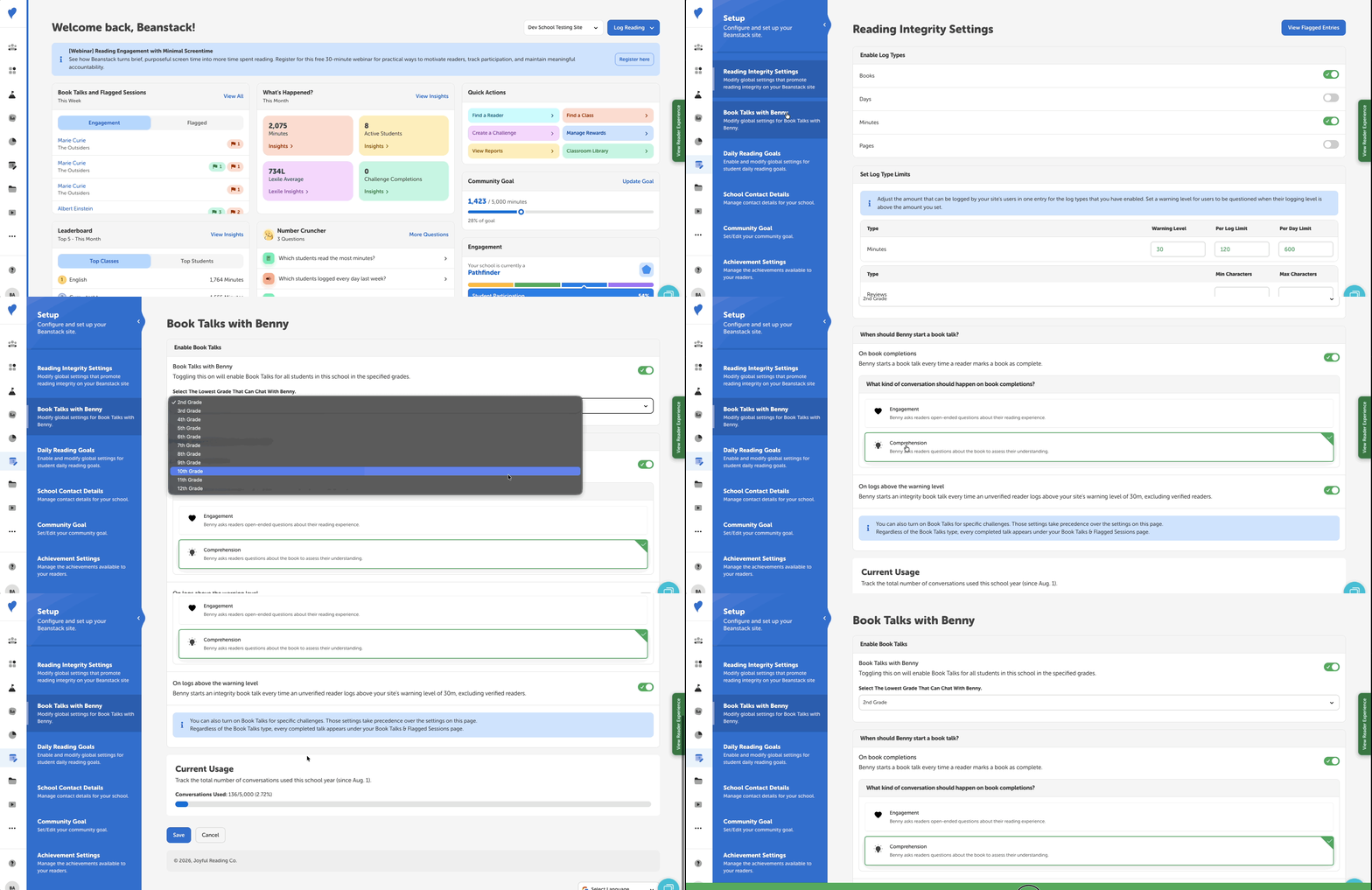
Media Specialists Plus and can update the settings for Book Talks with Benny for their school by doing the following:
-
Log into the admin view of your school site.
-
Navigate to Setup > Book Talks with Benny
-
Customize the following settings:
-
Enable Book Talks: Turn on Book Talks for all students at your school and set the minimum grade level (grades 2–12).
-
When should Benny start a book talk?: Configure Benny to initiate a chat whenever a student marks a book as complete (choose between open-ended Engagement sessions or book-focused Comprehension sessions), or trigger integrity book talks if a student logs above your site’s warning level. (Note: Challenge-specific Book Talk settings take precedence over these global settings.)
-
Current Usage: Track the total number of conversations used thus far in the current school year (since August 1st).
-
-
Click “Save.”
Note: District administrators can turn Book Talks with Benny on or off for their entire district.