
Tags: Points, Challenges, Libraries
To learn more about challenges, including setup and badges, visit Beanstack for Everyone.
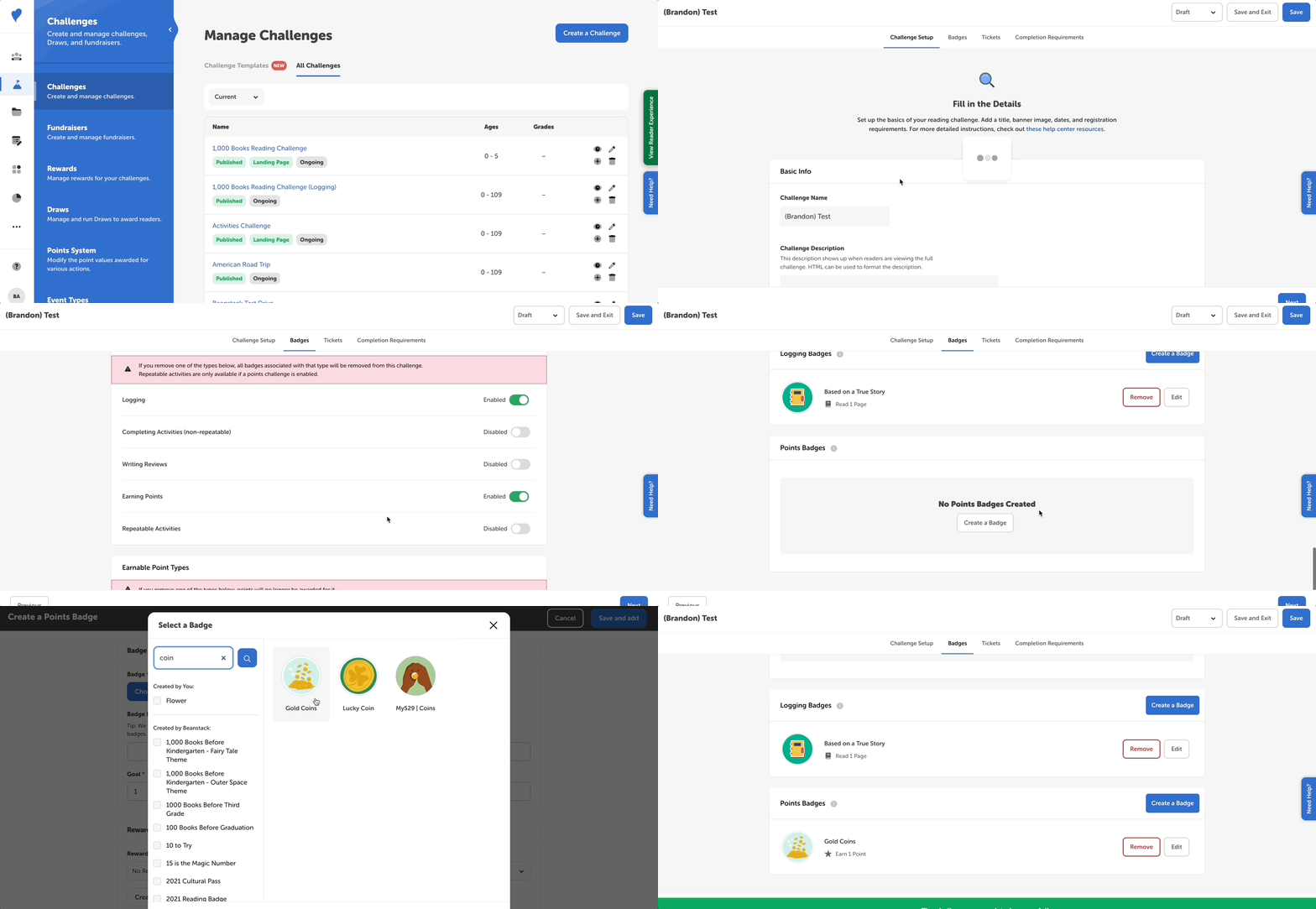
Make sure of the following before creating a points badge:
-
You have already set up your site’s universal points system.
-
Your challenge is drafted.
Follow the steps below to create or edit points badges in a challenge:
-
Log into the admin view of your library site.
-
Go to Challenges.
-
Select a draft challenge and go to the “Badges” tab.
-
Make sure points are enabled as an earnable badge type.
-
Under “Earnable Points Types”, enable the point types to count towards the challenge (e.g., minutes).
-
Scroll down to “Points Badges” and select “Create a Badge.”
-
Click “Choose Badge” to select a badge image from all the badges and badge groups on your site.
-
Edit the “Badge Name” field to give your badge a custom name. For more about editing badge names, read here.
-
Set your goal with the number of points.
-
You can reward points badges for up to 60,000 units, but we only recommend using such large goals for multi-year ongoing challenges. We generally recommend setting attainable reading goals, based on 20–30 minutes of reading a day, and adding enough badges to encourage readers at key milestones.
-
-
Add or create a reward or certificate if you’d like to reward readers when they earn the points badge.
-
Set a start and end date for the badge, if desired. For more on time-restricted badges, read here.
-
Click “Save and add.”
-
Repeat for additional points badges.