
Tags: Points, Challenges, Libraries
To learn more about challenges, including setup and badges, visit Beanstack for Everyone.
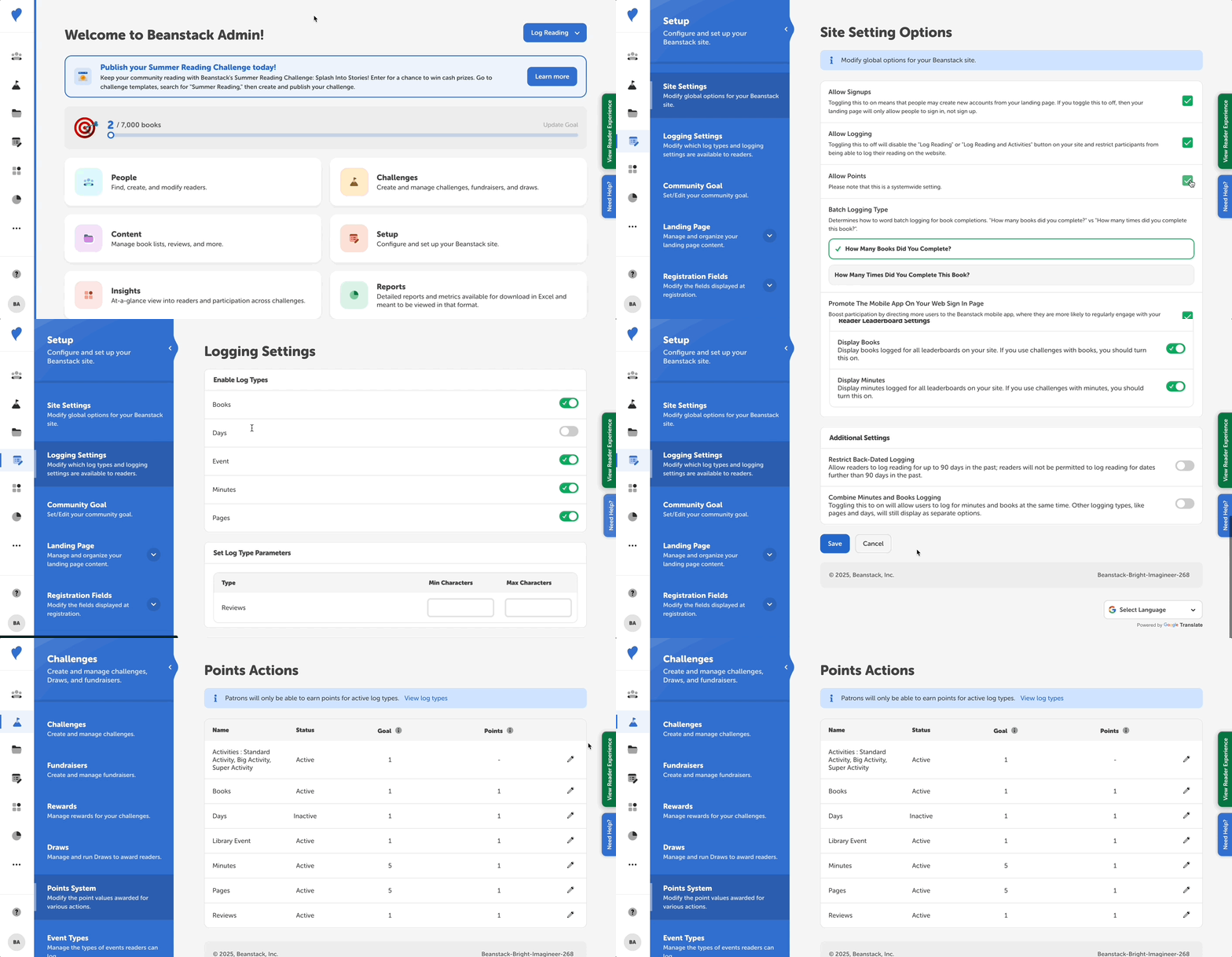
To set the point values fore each log type, follow the instructions below:
-
Go to Challenges > Points System.
-
First, notice which logging types are active and which are inactive. If you want a reader to be able to log by something, it must be active.
-
-
Set Activity point values by selecting the “edit” icon. How many points should someone earn for completing an activity?
-
These points are assigned to individual activities within activity tasks.
-
All activities default to the number of points assigned for a “Standard Activity.”
-
You may also add “Big” or “Super” point values. Even in you do not use these, keep in mind that they must have values that are greater than the standard activity.
-
-
Set Logging point values by selecting the “edit” icon. How many points should someone earn for logging?
-
Determine the goal for this log type and the amount of points for achieving it.
-
The goal is the required minimum number of items that must be completed to earn points. For example, if you read 1 book, you earn X points.
-
Note: The points system is site-wide, not challenge-specific. Readers see points pop up as they earn them in these increments.