

We’re always improving Beanstack to enhance your experience. Check here for updates on cutting-edge new features, slick and stylish design updates, and user-friendly improvements to existing features.
What’s New - 7/22/25
Editing Staff Roles
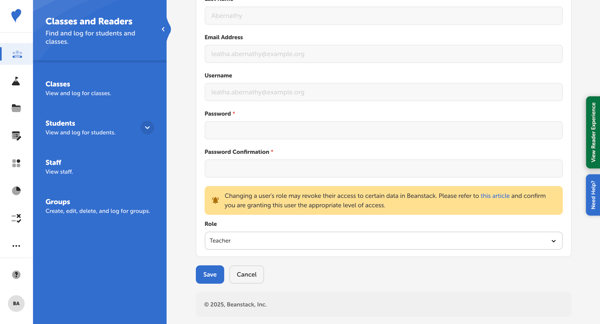
We now allow Media Specialist Plus users and District Administrators to update the role of other staff members.
- Quickly Grant Access: School and district administrators can update users’ roles in Beanstack, allowing them to onboard other staff members with the correct permission levels.
- Minimize Hassle: These edits to users' roles override rostering, allowing seamless access for school staff members without the extra hassle of rostering changes.
Pro Tip: Use the checkboxes to bulk update staff roles!
Editing Class Names
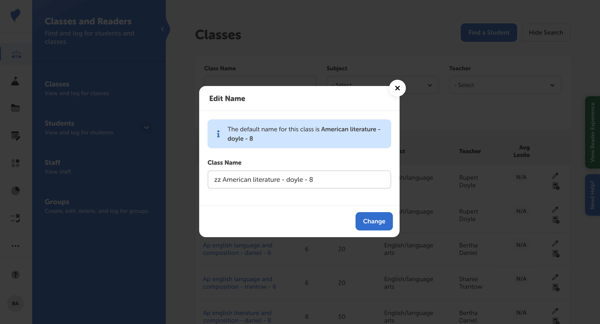
We now allow Media Specialist Plus users and District Administrators to update class names for their school.
- Customize Classroom Names: School administrators can set custom class names from their Beanstack sites by editing this information under Classes & Readers.
- Set a new Classroom Naming Convention: District administrators can set a standard convention for their classroom names.
Ready to take control of your rostered data? Head to the Classes & Readers to get started! Learn more from our documentation on editing staff roles and class names.