
Tags: Registration, Libraries, Setup
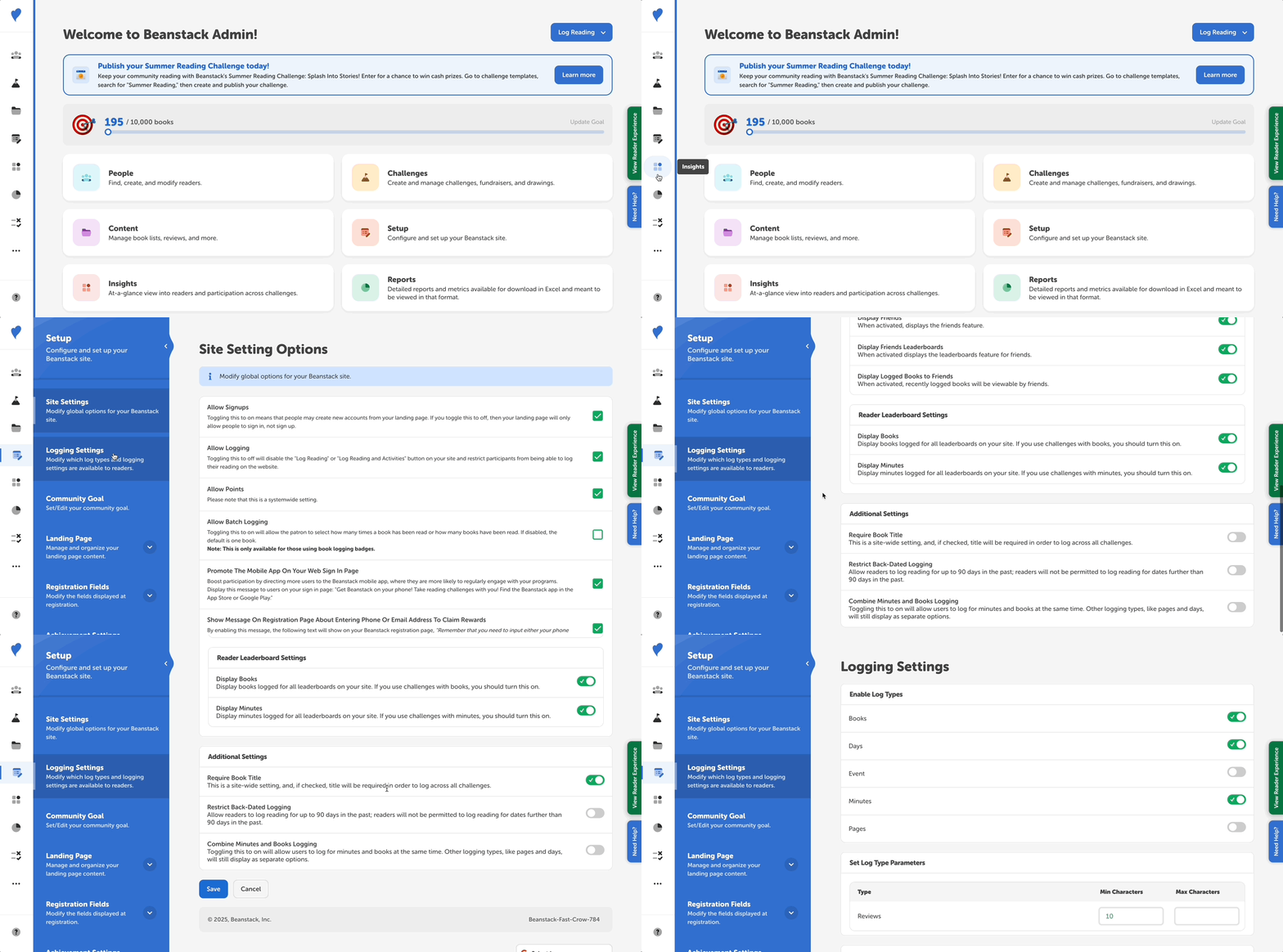
Library administrators can require readers to input a book title when logging reading. This is a site-wide setting and not a challenge-specific one, meaning that it will affect all logging on the web, no matter what challenges the readers are enrolled in. It does not affect logging on the mobile app, where readers can always choose to log with or without a title.
Follow the instructions to turn this option on or off:
-
Log in to the admin view of your library site.
-
Go Setup > Logging Settings.
-
Scroll down to the “Additional Settings” section.
-
Toggle on or off “Require Book Title” and click “Save.”
Note: If “Require Book Title” is enable, the “Allow Batch Logging” option will not be visible (and vice versa).