

Tags: Badges, Challenges
Note: We understand that you may want to add badges to a group in the future, but it’s important to note that adding/removing badges or renaming a badge group could impact your existing readers and challenges.
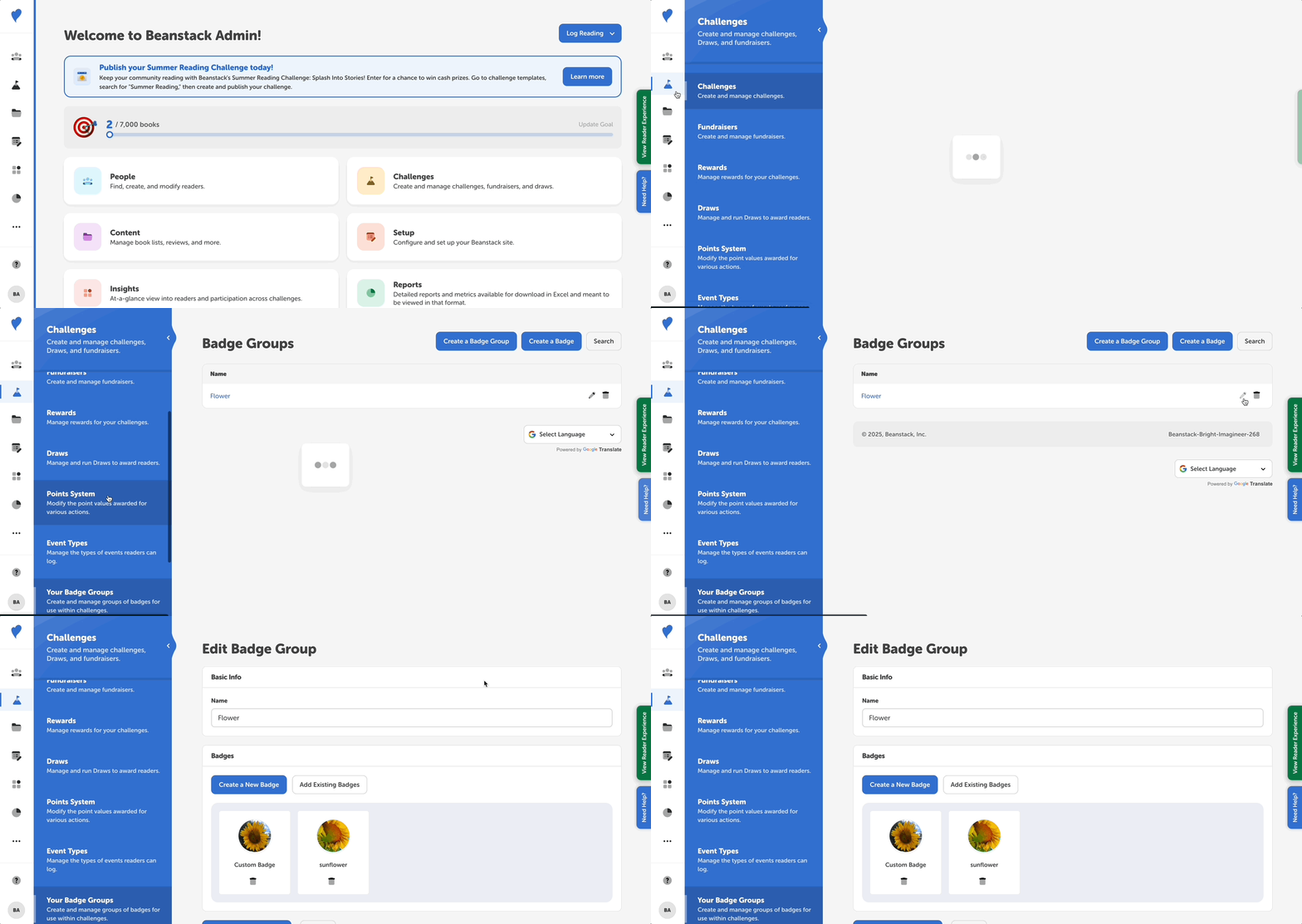
To edit an existing badge group, follow the steps below:
-
Go to Challenges > Your Badge Groups.
-
On this page, you will see the badge groups that are available on your site.
-
Click on the pencil icon next to the badge group you would like to edit.
-
From here, you can:
-
Rename the badge group.
-
Create custom badges and badge groups, or select existing badges to add to the group.
-
-
Once you have made the necessary changes to your badge group, click “Update this badge group.”
-
Congrats! You did it!