

Tags: Libraries, Readers
Readers are able to edit and delete their own reading sessions from the “Reading Log” tab.
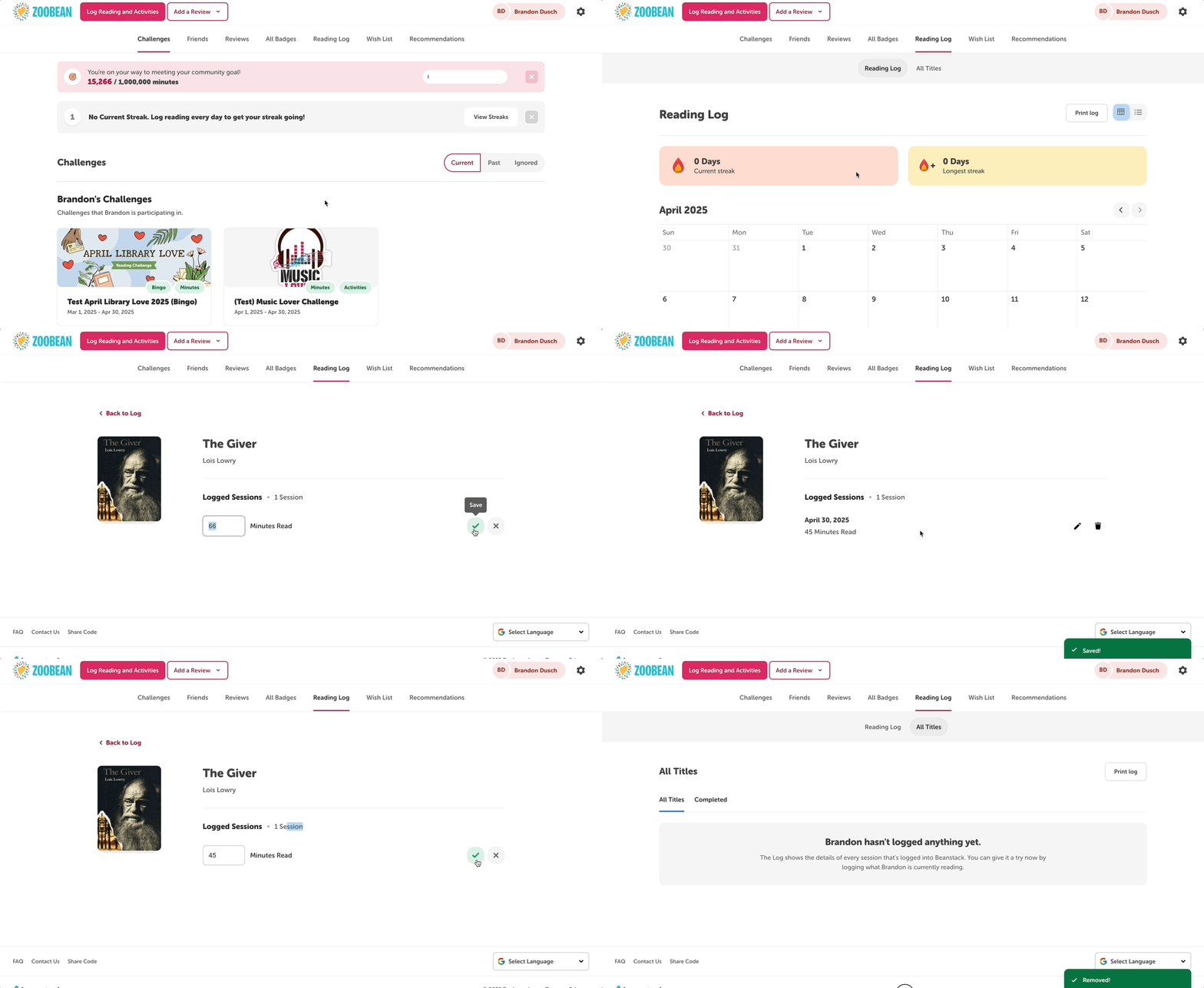
To edit a reading session:
-
If you know the date of the reading session you wish to update, navigate to that date in the calendar and click on the appropriate reading session.
-
If you know the title that contains the reading session you wish to update, click “All Titles” and select that title from the list.
-
Click the pencil icon next to the desired session.
-
Adjust the amount in the editable field and click the checkmark to save.
To delete a reading session:
-
1. Follow either step 1a or 1b above.
-
2. Click the trashcan icon.
-
3. Click “Delete” in the pop-up message.
Note: Any badges that were earned as a result of a deleted reading session are not automatically removed along with the session. After removing a session, library staff will need to remove any associated badge(s) by un-earning them.