

Tags: Media Specialists, Teachers, Students, Reading Engagement, Reading Integrity
Schools can set and track individual daily reading goals for their students on Beanstack! This allows teachers and librarians to meet students where they are in their reading journey, monitor progress over time, and foster reading motivation for every student.
A note about access to this feature:
On individual school sites, only Media Specialists Plus can:
-
Turn daily reading goals on or off
-
Set a default baseline goal for all students (goals can be customized for individual students).
-
Specify which additional staff can set individual goals (based on teachers’ subjects, such as ELA, homeroom, or all teachers)
On district sites, district admins can enable this feature for all schools in the district.
Depending on your school role and how this feature is set, you can take the following steps below:
Enabling Daily Reading Goals
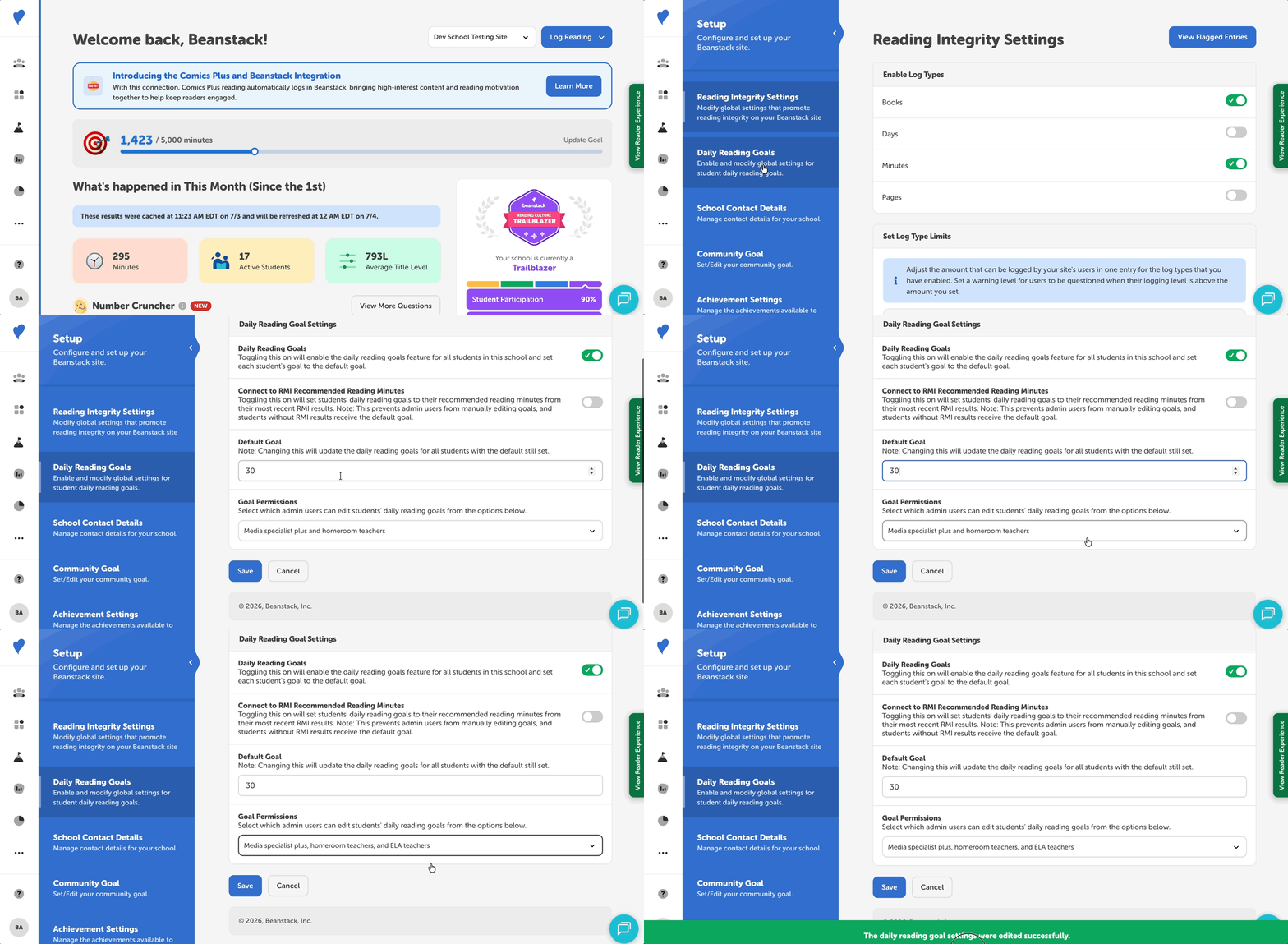
-
Log into your Beanstack school site as a Media Specialist Plus.
-
Navigate to Setup > Daily Reading Goals
-
Toggle on the “Daily Reading Goals” setting
-
Set a default number of minutes (this is automatically set to 20 minutes if left unchanged).
-
Note: Updating the default goal updates the goal for all students with the default still set.
-
Take one of the following actions:
-
Update the “Goal Permissions” setting to choose which staff may also edit goals for their students (e.g., ELA, Homeroom or all teachers)
-
If your school uses the Reading Motivation Index (RMI), you can set goals based on students’ reading motivation scores (e.g., 0 - 9.9 score: 15 minutes per day). To do this, toggle on the “Connect to RMI Recommended Reading Minutes.”
-
Click “Save.”
Teacher and Staff Experience
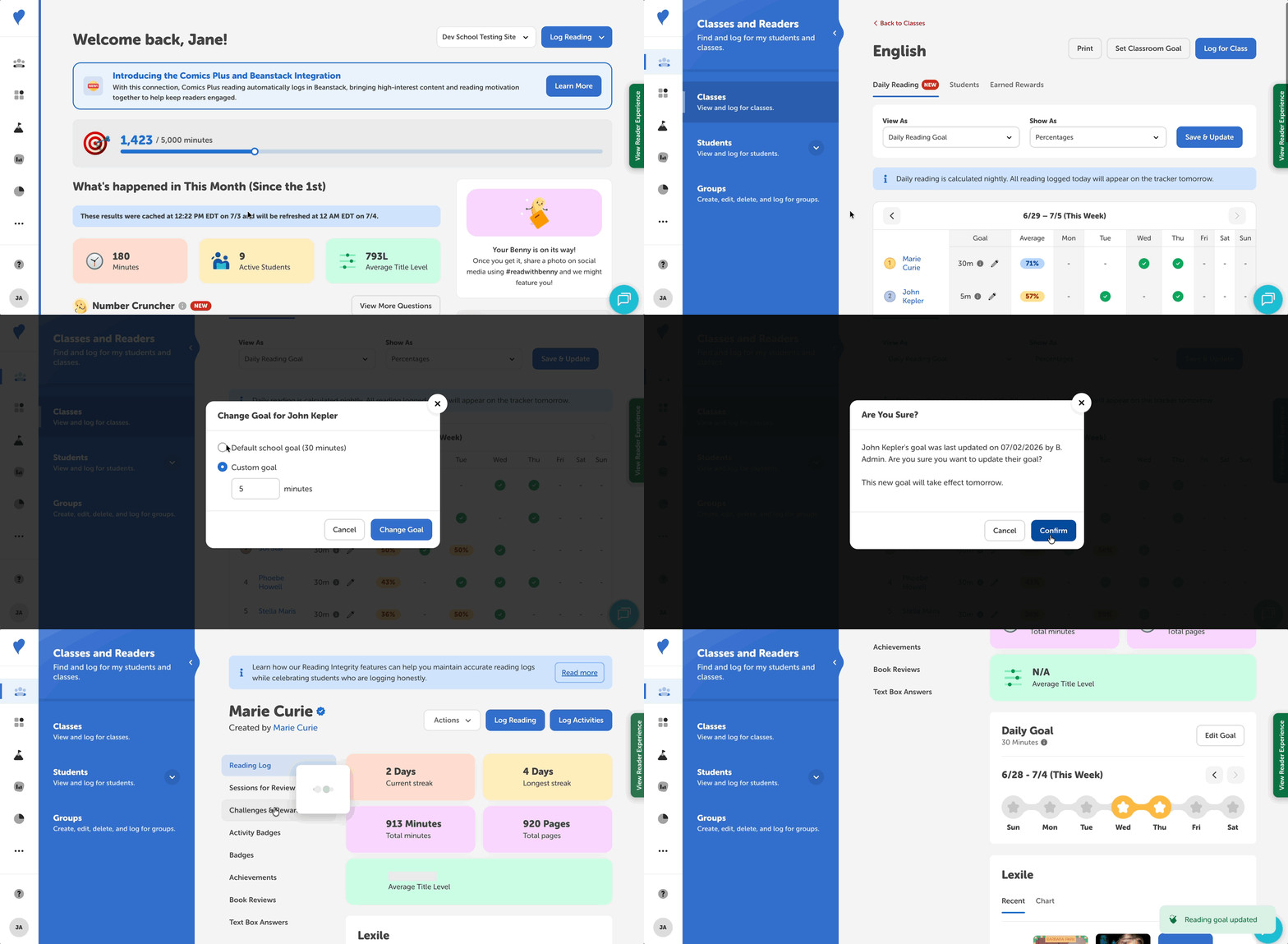
Authorized teachers and staff can edit the daily reading goals for their students via the daily reading trackers for their classes or within a student’s profile.
Note: Media Specialists Plus can always edit reading goals for individual students.
Via the Daily Reading Tracker
To set daily reading goals from the daily reading tracker:
-
Navigate to Classes and Readers > Classes.
-
Select one of your classes, such as “English” or “Homeroom.”
-
On the “Daily Reading” tab, set the “View As” dropdown to “Daily Reading Goal” to display student progress toward their daily goals.
-
You can view this progress as a percentage or the total minutes toward the goal by changing the “Show As” dropdown.
-
-
Select the pencil icon next to a student’s name, under the “Goal” column, to change their daily reading goal.
-
Choose the default school goal (set by the Media Specialist Plus), or set a custom goal for the student and enter the minutes.
-
Confirm the change and select “Confirm.” The new goal will take effect on the next calendar day.
Via a Student Profile
To set individual reading goals from a student’s profile:
-
Navigate to the profile through either of the following:
-
Classes and Readers > Classes > select class > select student
-
Students > View Students > search for and select student
-
-
On the “Reading Log” tab of the student profile, select “Edit Goal” under the “Daily Goal” section.
-
Choose the default school goal (set by the Media Specialist Plus), or set a custom goal for the student and enter the minutes.
-
Confirm the change and select “Confirm.” The new goal will take effect on the next calendar day.
Student Experience
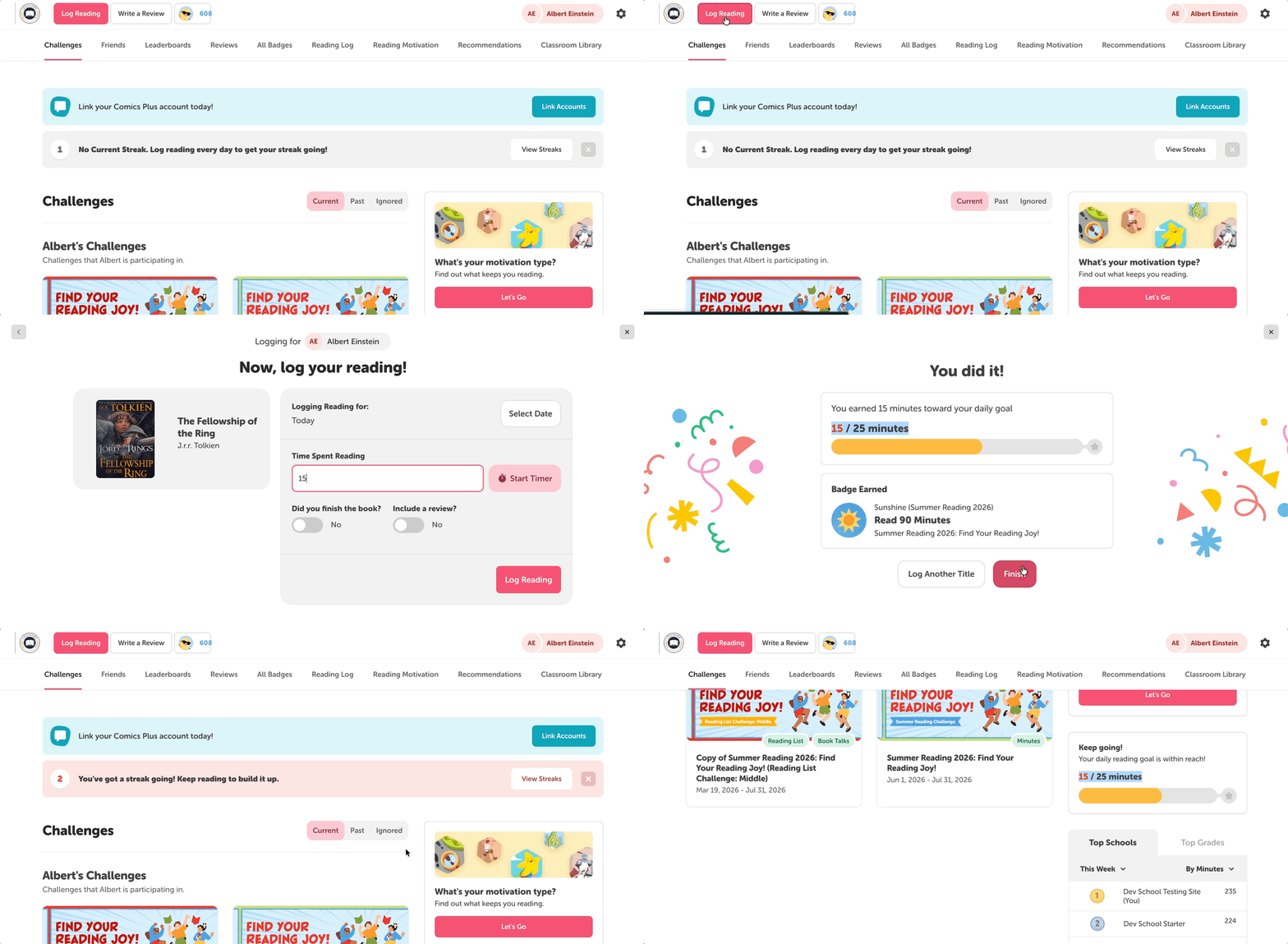
Students can log towards their daily reading goals on both the web and the mobile app and will see:
-
A summary of their progress towards their daily goal is displayed on their dashboard and after they log reading.
-
Their daily reading goal history is tracked on their reading log with star icons.
-
A new statistic tracking the total number of times they met their daily goal