

Tags: Libraries, Readers, Challenges
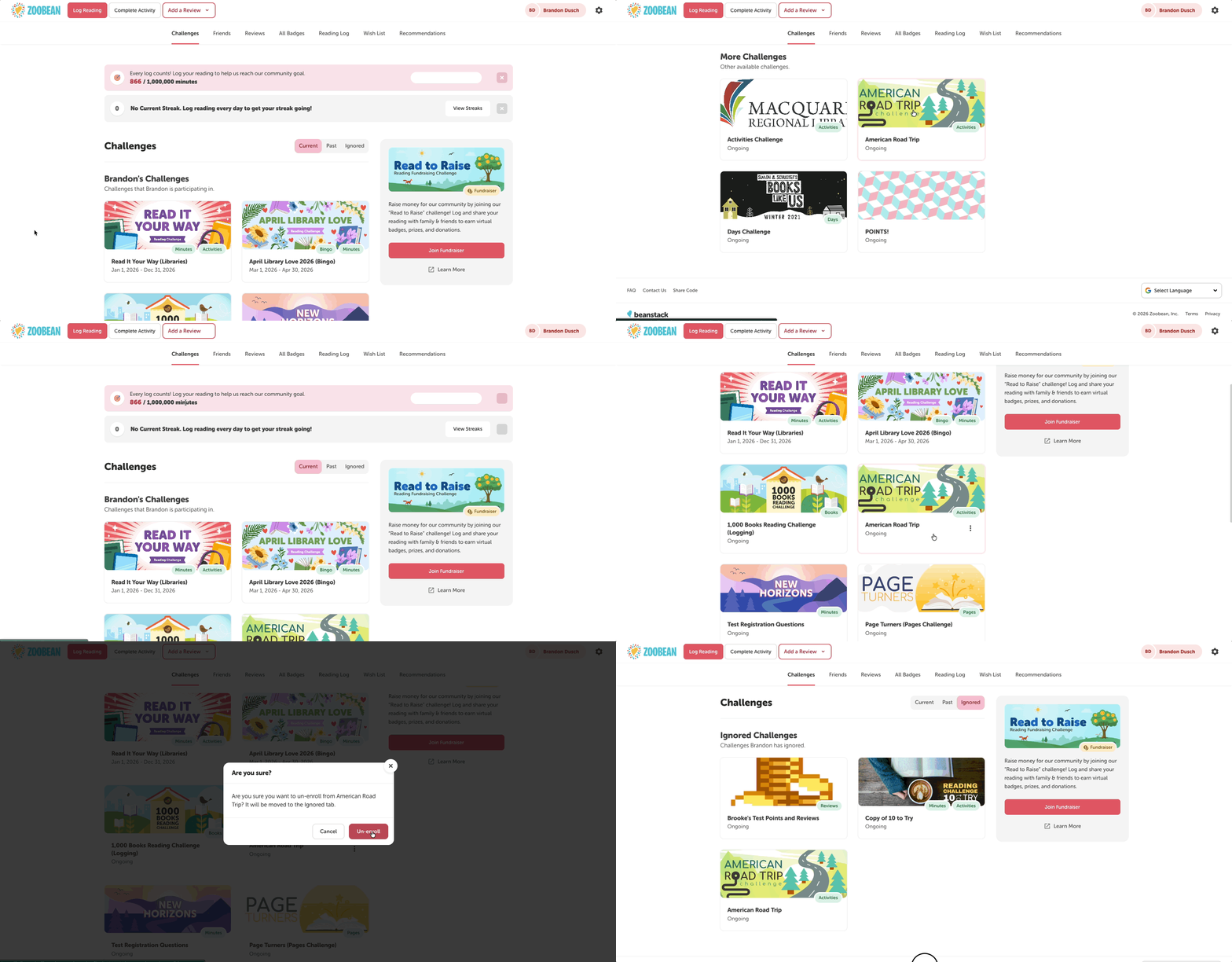
Readers now have the ability to unenroll from a reading challenge within 7 days after initial enrollment. This makes it easier for readers if they change their minds or enroll in a challenge by accident.
Note: Currently, this feature is only available for library sites on the web version.
Follow the steps below:
-
Log in to your Beanstack site, on the web.
-
Navigate to the “Challenges” section, in the “Current” tab.
-
Locate the challenge you enrolled in. If you’re within 7 days of enrollment, a three-dots button will be visible on the challenge card.
-
Select the three-dots button, followed by “Un-enroll.”
-
Select “Un-enroll” again to confirm.
-
After un-enrolling, the challenge will be moved to the “Ignored” tab and the “Not Interested” label appears next to the challenge name on the admin view of the reader’s profile (under “Challenges & Rewards”).
-
Afterward, if you change your mind, you can enroll in the ignored challenge (as long as it is still ongoing).
A few notes about badges:
-
After un-enrolling, any registration badges are automatically un-earned.
-
All other earned badges will need to un-earned from the admin view. Readers who un-enroll themselves may have earned badges with rewards/certificates leftover
- When a logging badge is unearned, it may not appear in reports such as the Earned Badge Details by Challenge and Badge report. However, the badge(s) will still appear in the Insights dashboard when filtering for “Readers in Challenges.”