

Tags: Students, Classes & Readers, Admins
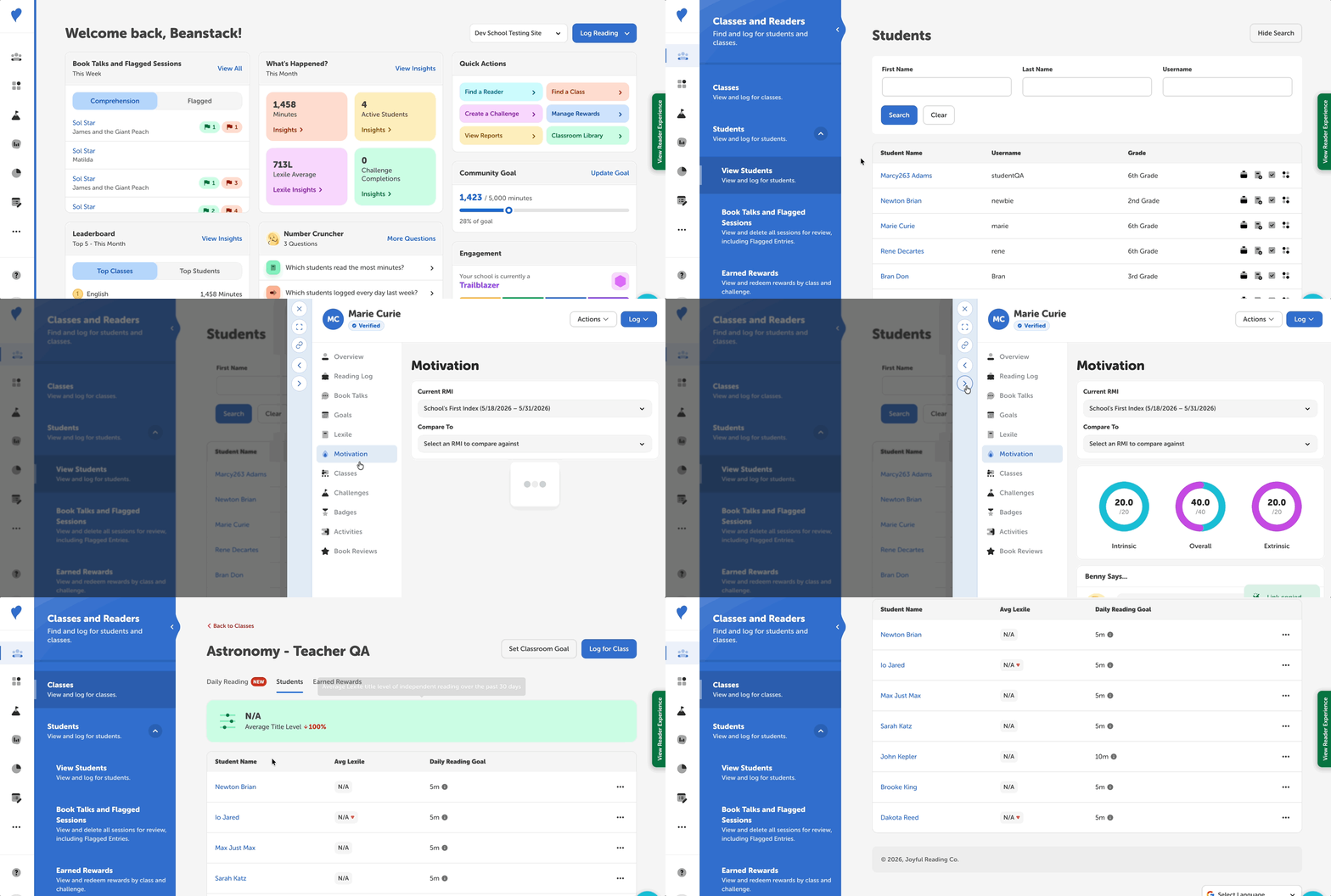
Clicking a student’s name anywhere in Beanstack opens their profile in a drawer on the right side of your screen. Every profile starts with a reading “snapshot”—a brief quick summary and key data points that give you a full picture of how the student is reading.
The buttons along the drawer’s left edge let you expand the profile to full screen, close the drawer, and copy a link that goes directly to the profile.
Accessing the Student Profile
Note: Teachers can only find and view classes and students rostered to them, whereas administrator roles can find and view any class or student within their school.
After logging into the admin view of your site, there are a few places to find and display a student profile:
-
To search for a specific student, navigate to Classes and Readers > Students > View Students.
-
To view students by class, go to Classes and Readers > Classes.
-
Student profiles can also be found throughout your Beanstack site’s reporting and data, including:
-
Classes and Readers > Students > Book Talks and Flagged Sessions
-
Insights Leaderboards
-
Student Profile Highlights
The sidebar lists the profile’s sections in this order:
-
Overview gives a “snapshot” of the student’s progress.
-
Benny’s summary describes the student’s current reading progress.
-
The “At a glance” table shows stats like total minutes read, current and longest streak, and Lexile average. You can switch its date range between This School Year and All Time.
-
Reading Log gives a detailed breakdown of all the student’s logged reading.
-
Book Talks summarizes the student’s interactions with Book Talks with Benny. View flagged, engagement, and comprehension book talks here. Click on a title to view the entire book talk.
-
Goals shows how the student is tracking against their daily goal and how consistently they read.
-
Daily Goal shows progress toward today’s goal, and the Edit Goal button lets you change it.
-
The reading activity calendar marks days with logged reading, met goals, and streaks.
-
Consistency breaks out days read, current streak, and longest streak.
-
Lexile shows how the Lexile levels of the books the student logs are changing over time, with trends and highlights, along with the levels of their most recently logged books.
-
Motivation shows how the student’s reading motivation is changing, and is available for schools with the Reading Motivation Index.
-
View students’ Extrinsic, Intrinsic and Overall scores.
-
Reading Motivation Index (RMI) scores compare the student’s latest results with earlier ones.
-
Benny’s assessment summarizes the student’s reading motivation and recommends reading goals and actions.
-
Classes lists the classes the student is enrolled in that your rostering service shares with Beanstack.
-
Challenges lists the challenges the student is enrolled in, is eligible for, or has completed.
-
Badges lists the badges and achievements the student is working on, is eligible for, or has earned.
-
Activities lists the activity badges the student has completed, including their written answers to text box activities.
-
Book Reviews shows the reviews the student has written.