

We’re always improving Beanstack to enhance your experience. Check here for updates on cutting-edge new features, slick and stylish design updates, and user-friendly improvements to existing features.
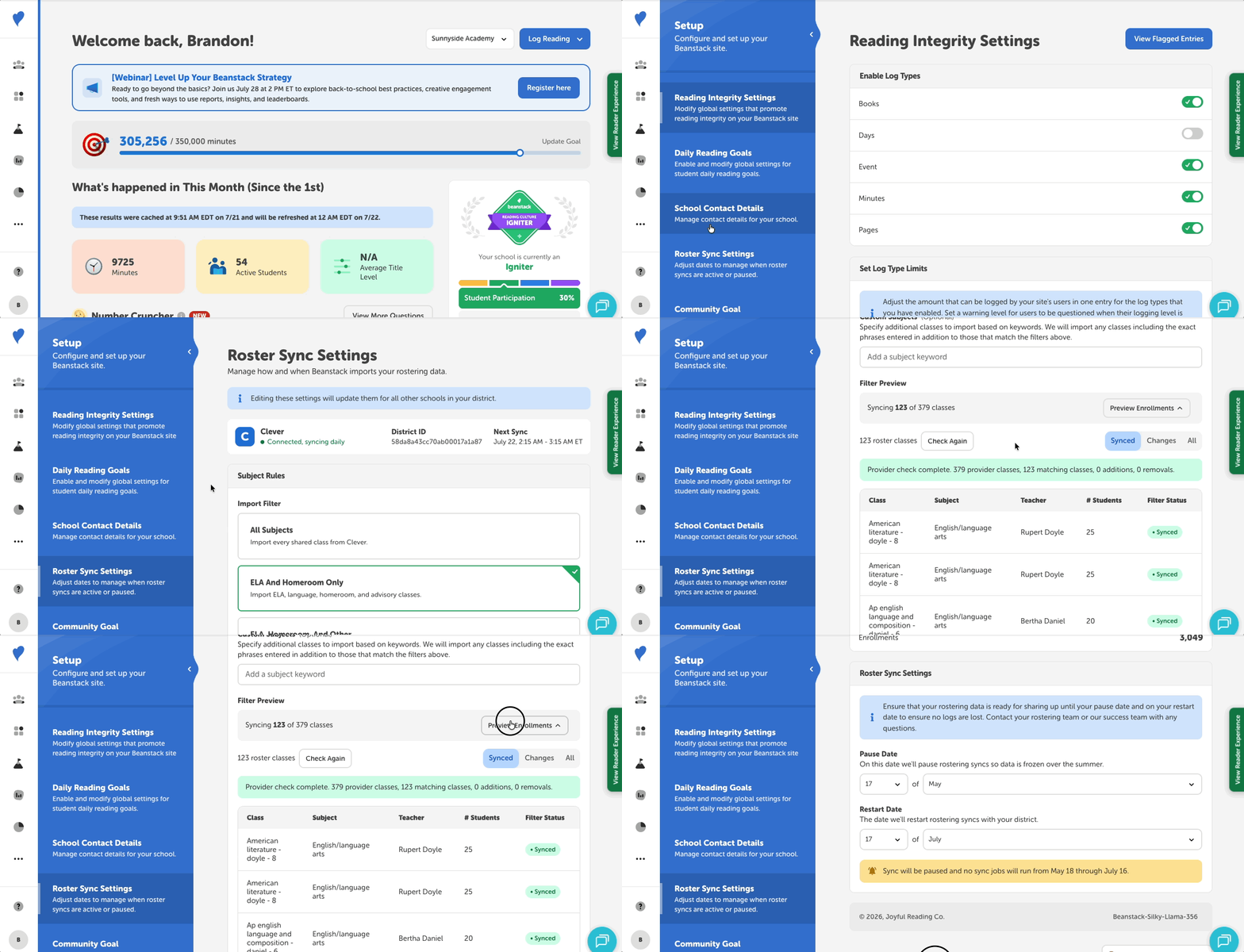
Our new rostering tools give school and district administrators greater visibility into their import settings, roster data, and upcoming account changes, all in one place.
Beanstack Admins can:
-
Choose which classes to import: Select the classes you want to import in Beanstack based on subject or any keyword filters.
-
Preview roster changes: Before making any updates, review the classes, teachers, and students that will be imported or removed before saving your changes.
-
Monitor roster activity: See current totals from your most recent sync and review upcoming user deactivations before they occur.
-
Manage start and pause dates: Update your roster sync start and pause dates directly from the same settings page.
With more information available up front, administrators can make updates with confidence and ensure the right readers, educators, and classes are connected from the start. To learn more about this feature, check out this article.