

Tags: Libraries, Staff Actions
After creating a new offline reader account, you can log reading sessions for them, including from a past date!
Note: Keep in mind that your site may limit back-dated logging to no more than 90 days in the past.
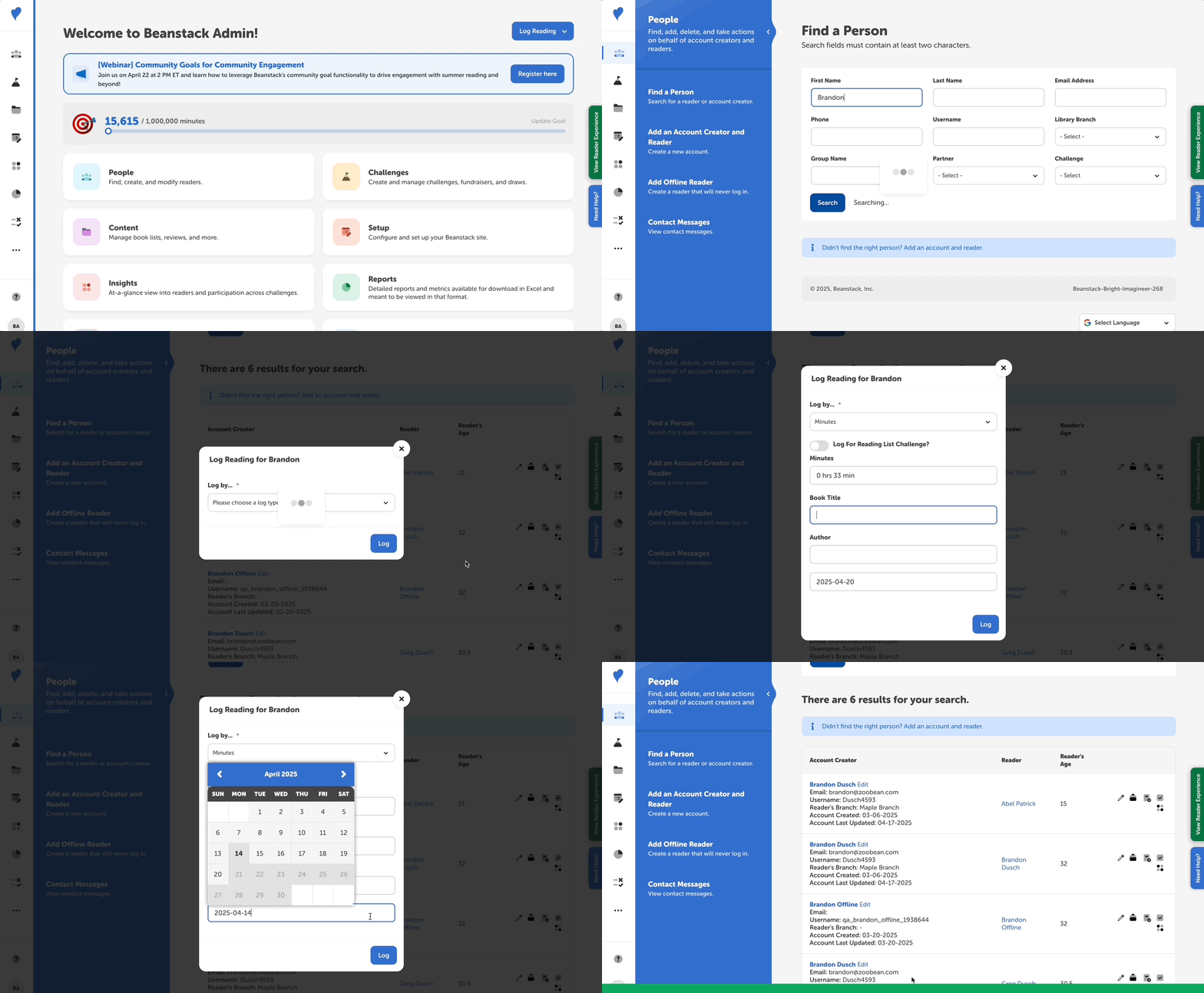
If you need to enter multiple reading sessions and/or multiple log types, follow the steps below.
-
Log in to the admin view of your library site.
-
Navigate to People > Find A Person
-
Search for the newly added offline account.
-
The username begins with “qa_” by default.
-
-
Click the "Add to Log" quick-action icon button to the right of the offline reader’s name.
-
Fill out the log type and reading session details.
-
In order to back-date the reading session, simply click the date field and select a past date on the calendar.
-
-
Click “Log.”
-
Repeat for as many sessions as needed.