

Meet your readers’ new profiles: quicker to open, easier to navigate
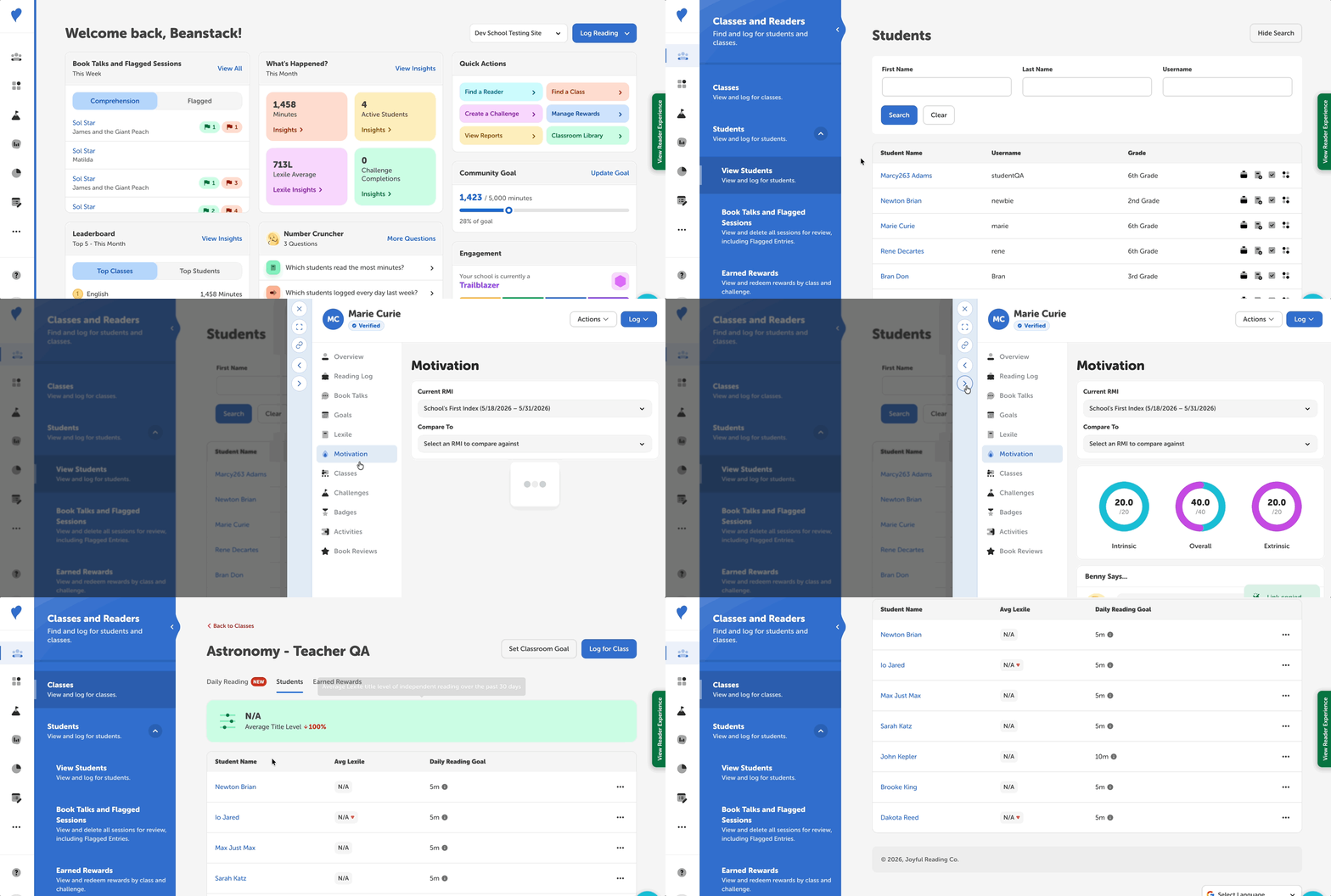
Reader profiles now move with you. Click a student’s or reader’s name anywhere in the admin view, and their profile opens in a drawer beside your work, so you never lose your place. From there, you can expand the profile to full screen, copy a direct link to share it, or move straight to the next related profile. Every profile now includes:
-
At a Glance Stats like total minutes read, current streak and longest streak. Student profiles also show Lexile average and let you switch between This School Year and All Time.
-
Quick Profile Navigation that lets you use the arrow buttons to step through related profiles, like children in the same family account on library sites, or students in the same class or with the same flags on school sites.
New for students
School profiles open with a reading snapshot and include new sections to support each student:
-
Benny’s Summary, a quick, plain-language description of the student’s current reading progress.
-
Goals, which track progress toward the student’s daily goal, along with a reading calendar and consistency stats. You can also edit the daily goal right from the profile.
-
Motivation, which shows how a student’s reading motivation is changing over time. It’s available for schools with the Reading Motivation Index.
The new reader profiles are available on all Beanstack sites and subscription levels. To learn more, check out our articles on reader profiles for schools and libraries.